

A mini PC workstation needs a desk of at least 120 × 60 cm for one monitor and 180 × 60 cm for two 27-inch screens, with the mini PC mounted behind the monitor or under the desk. Used business mini PCs cost roughly PKR 18,000–45,000 in Pakistan, and workstation desks for them run PKR 20,000–190,000.
A mini PC takes almost no room, yet most desks are still built for a tower. The result is a tidy computer lost behind clutter, or a mini PC buried under a tangle of cables.
The fix is a desk planned around the mini PC from the start. Our workstation collection and the 21 designs below show where the mini PC sits, how the cables run and how much airflow it needs.
You will also find the desk size each monitor setup needs, current Pakistan price ranges for used and imported mini PCs, and a setup checklist you can finish in an afternoon.
Table of Contents
- Mini PC Desk Size Calculator
- Why a Mini PC Workstation Needs a Different Desk
- Which Mini PC Fits Your Workstation
- Mini PC Prices in Pakistan
- 21 Best Mini PC Workstation Designs
- Comparing Mini PC Workstation Desk Types
- Advantages and Disadvantages
- How to Set Up a Mini PC Workstation
- Quick Buying Checklist
- Frequently Asked Questions
Mini PC Desk Size Calculator
The calculator adds 60 cm to the width of your monitors for a keyboard, mouse and speakers, then rounds up to the next 10 cm. Depth is 60 cm for 24 and 27 inch screens and 70 cm for 32 inch screens.
Find Your Desk Size
Choose your monitors and see the desk width and depth that leaves room for a keyboard, mouse and a mini PC mounted out of sight.
Desk width
180 cm
71 in
Desk depth
60 cm
24 in
Monitor row
120 cm
screens side by side
Spare width
60 cm
for speakers and desk items
Why a Mini PC Workstation Needs a Different Desk
A tower wants a floor spot and a wide kneehole. A mini PC wants a VESA plate, an under-desk cradle or a ventilated shelf, and nothing blocking its vents.
That is why a plain table often fails. A shallow desk with a cable tray, like the ones in our small computer table designs, suits a mini PC better than a deep tower desk.
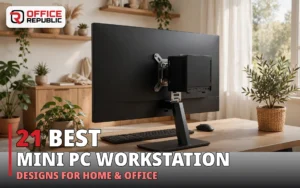
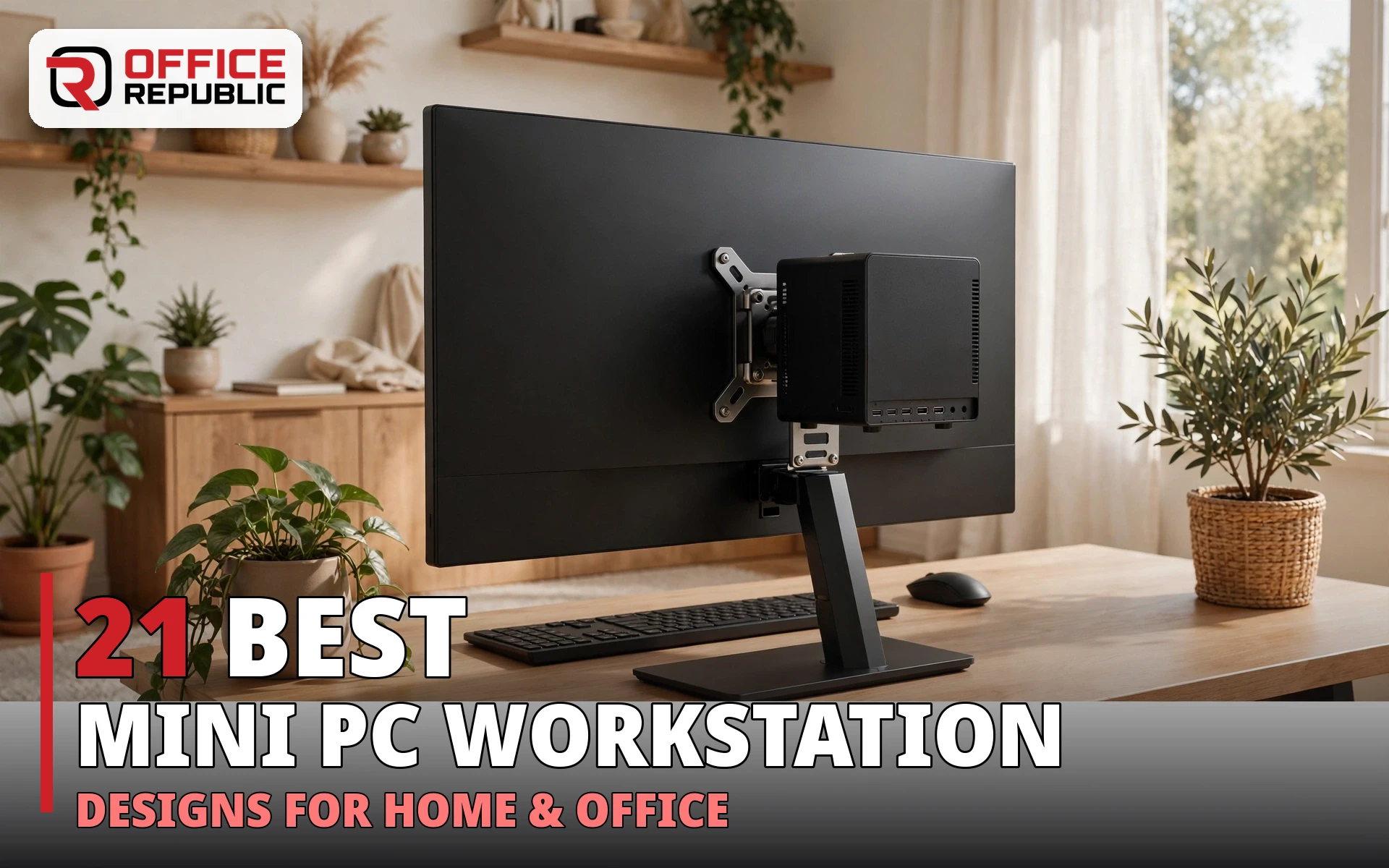
Mounted behind the monitor, a mini PC frees the whole desktop. Mounted under the desk, it stays cool and within reach. Either way the desk top must be thick enough to hold bracket screws without splitting.
Which Mini PC Fits Your Workstation
Used business minis. HP EliteDesk Mini, Dell OptiPlex Micro and Lenovo ThinkCentre Tiny units are about 18 cm square and 3.5 cm thick. An HP mini PC with a Core i7 handles office work, CAD viewing and light editing.
Imported compact PCs. GMKtec and Minisforum sell everything from entry-level N-series boxes to Core i9 and Ryzen 9 models. The GMKtec NucBox K12 pairs a Ryzen 7 H255 with an OcuLink port for an external graphics card, and Minisforum sells its MS-01, MS-A1 and MS-A2 lines as mini workstations.
True mini workstations. The HP Z2 Mini G3 takes up to 32 GB of DDR4 in two SO-DIMM slots, offers an optional NVIDIA Quadro M620 with 2 GB and drives up to three displays. HP says it can sit on a desk, mount behind a display or hang under one.
At roughly 1.9 to 2.1 kg, the Z2 Mini G3 needs a proper steel bracket, not the thin plastic clips sold for light thin clients. Dell and Lenovo also sell compact Precision and ThinkStation Tiny workstations in the same class.
Most mini PCs use integrated graphics. If you need a dedicated graphics card, check the spec sheet for a discrete GPU or an OcuLink port before you buy.
Barebone kits arrive without RAM or storage, so confirm what is in the box. Old ASUS EeeBox-style nettops suit a spare terminal, not a workstation. A tower workstation still wins for several GPUs or many drives, but it needs floor space and a deeper desk.
Mini PC Prices in Pakistan
Classified listings show used business mini PCs from about PKR 18,000 to PKR 45,000, depending on CPU generation, RAM and SSD. Examples include a 6th-gen i5 HP EliteDesk 800 G3 mini near PKR 24,000 and an 8th-gen Dell OptiPlex Micro near PKR 40,000.
Mini PC Price Bands in Pakistan (approximate)
Used business mini · 6th to 8th gen i5 with 8 to 16 GB RAMPKR 18,000–45,000
Newer used or open-box · 10th gen and Ryzen Pro modelsPKR 45,000–90,000
Imported GMKtec or Minisforum · priced by the sellerUS$125–560 abroad + shipping and duty
New GMKtec and Minisforum units are imported, so the Pakistan price depends on the seller. Abroad, entry N150 models start near US$126, a Ryzen 7 NucBox K12 starts near US$410 as a barebone, and an MS-01 with 32 GB and 1 TB lists near US$559.
Spend on RAM and an SSD before a faster CPU. A mini PC with 16 GB and an NVMe drive feels quicker than a newer chip starved of memory. For gaming, integrated graphics handle esports titles, while heavier games need an OcuLink or discrete GPU model. Prices move daily, so check current ads before you buy.
21 Best Mini PC Workstation Designs
Each design shows where the mini PC lives, the desk size and a realistic price range in PKR.
1. VesaBack Slim 120
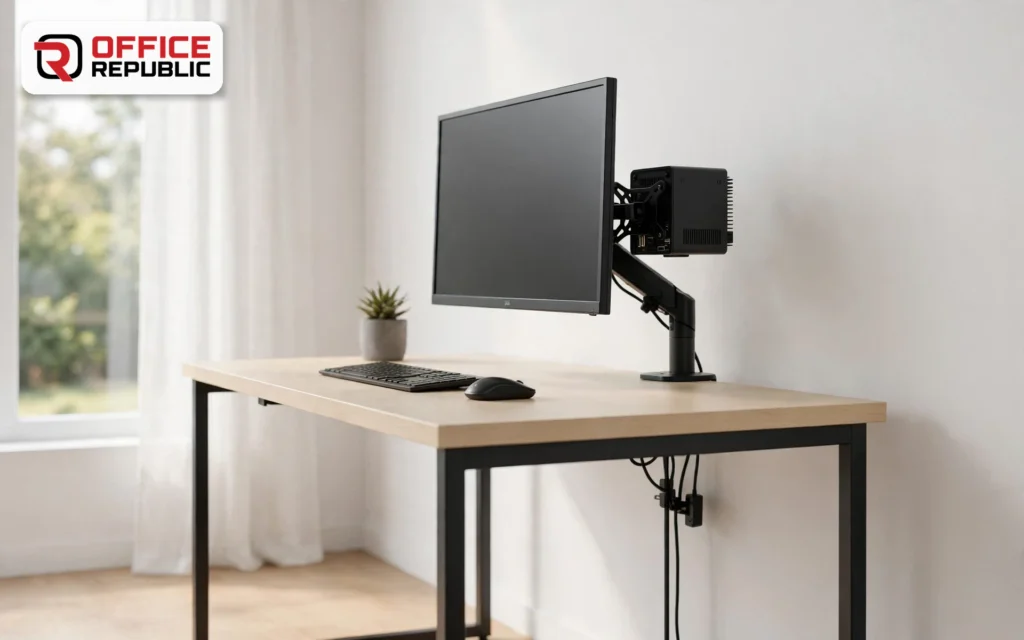
A 120 × 60 cm desk with a steel VESA bracket that bolts the mini PC to the back of a 24 or 27 inch monitor. Nothing sits on the desk except the screen, keyboard and mouse.
Check the monitor VESA pattern (75 × 75 or 100 × 100 mm) before ordering, and point the vents sideways, not toward the wall.
- Best For: Single-monitor home offices and reception desks
- Materials: 25 mm melamine MDF top, powder-coated steel legs, steel VESA bracket
- Dimensions: 120 × 60 × 75 cm
- Price Range: PKR 28,000–38,000
2. UnderDesk Cradle 140
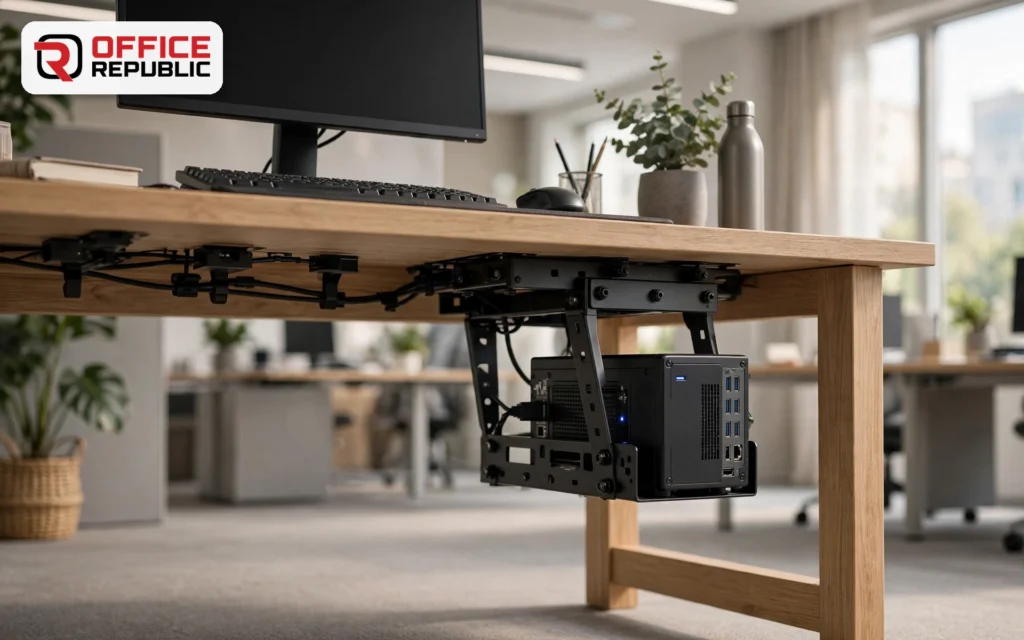
A steel cradle fixed under a 140 cm desk holds the mini PC on its side, off the floor and out of sight. Dust stays away and the front ports stay within reach.
Ask for a top at least 25 mm thick, and use through-bolts, not wood screws, when the mini PC is a heavier workstation model.
- Best For: Shared desks and cleaner-looking offices
- Materials: MDF top with PVC edging, steel cradle, powder-coated frame
- Dimensions: 140 × 65 × 75 cm
- Price Range: PKR 34,000–46,000
3. CableTrunk 140
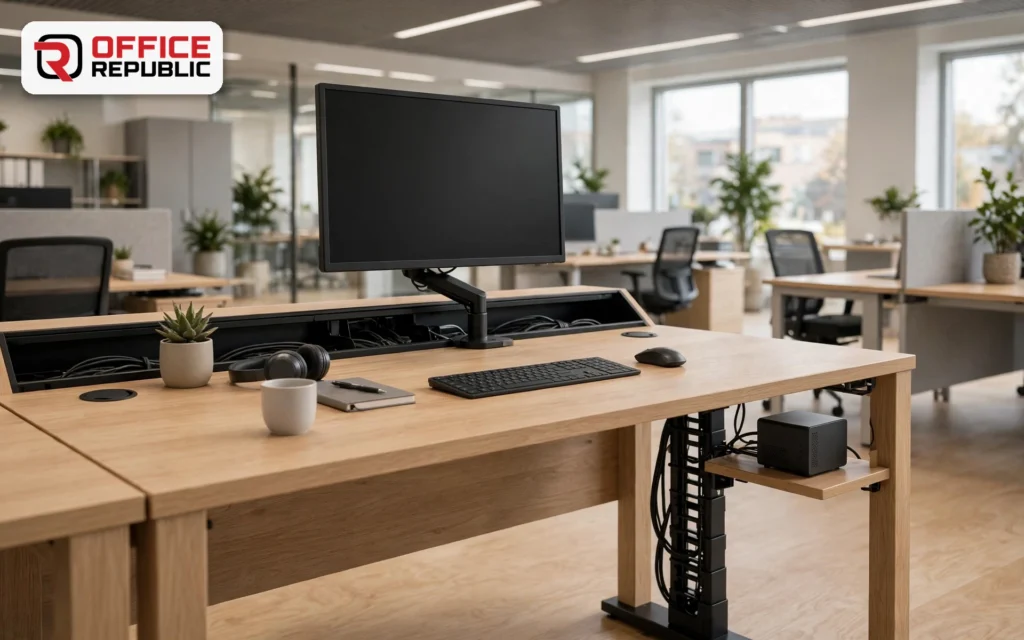
Two grommets, a rear cable trough and a leg-mounted spine lift the power, display and network cables off the floor. The mini PC rides on a shelf beside the monitor stand.
Label each cable at both ends, so when a monitor fails you unplug the right lead in seconds.
- Best For: Tidy home offices and open-plan desks
- Materials: Melamine MDF top, steel cable trough, powder-coated legs
- Dimensions: 140 × 60 × 75 cm
- Price Range: PKR 36,000–48,000
4. DualView 180
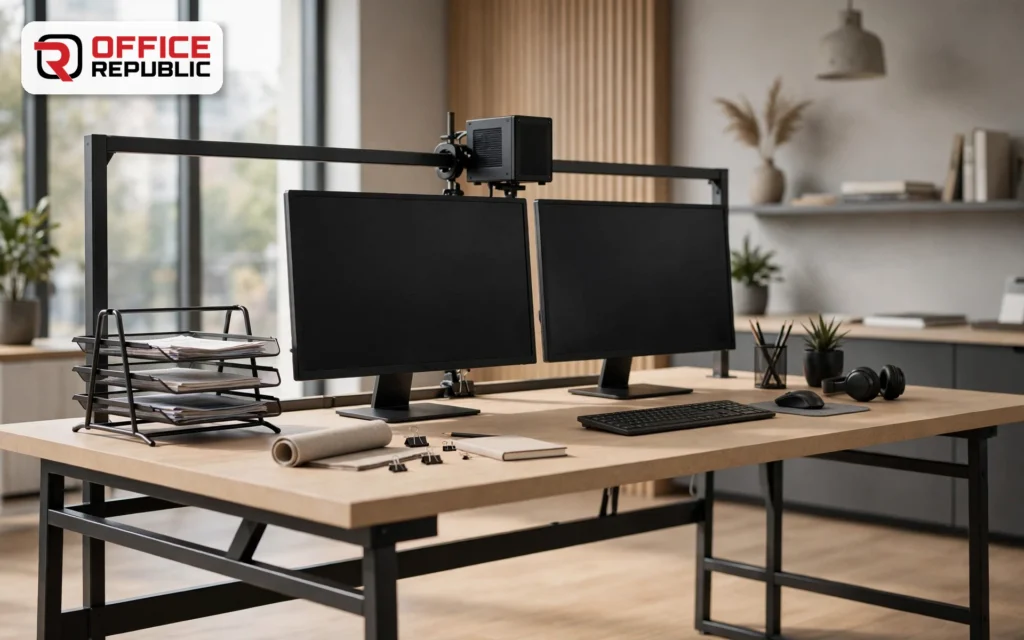
A 180 × 70 cm desk sized for two 27 inch monitors, with a steel bar behind them for the mini PC. The extra depth leaves room for a laptop stand or document tray.
Match the width to the calculator above: two 27 inch screens need 180 cm for comfortable spacing.
- Best For: Accountants, designers and traders
- Materials: 25 mm laminated MDF top, steel frame, optional monitor arms
- Dimensions: 180 × 70 × 75 cm
- Price Range: PKR 48,000–65,000
5. TriView Trader 240
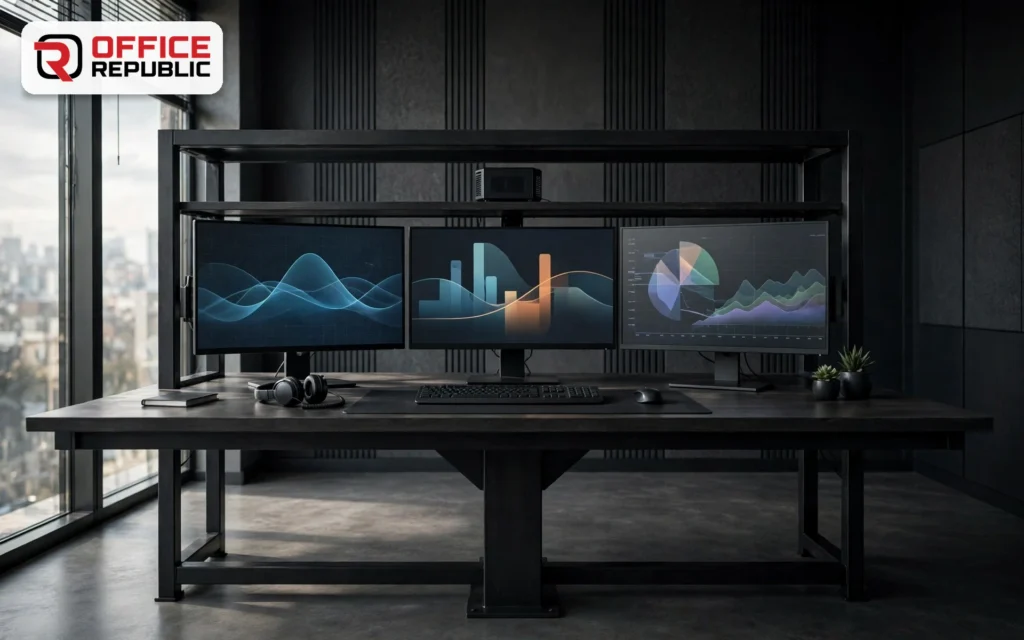
Three 27 inch monitors need a 240 cm desk, so this model uses a thick steel frame with a centre support to stop sagging. The mini PC sits on a rear shelf behind the middle screen.
Angle the side screens slightly so you turn your eyes, not your neck.
- Best For: Trading, editing and monitoring rooms
- Materials: 25 mm MDF top, steel frame with centre support
- Dimensions: 240 × 75 × 75 cm
- Price Range: PKR 75,000–105,000
6. StandRise Electric
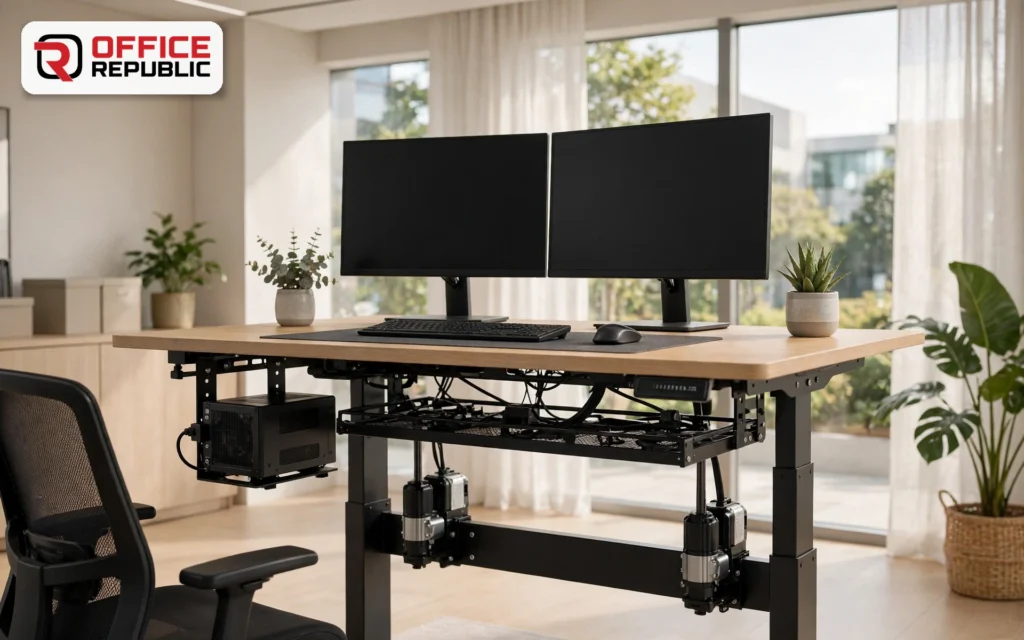
An electric sit-stand desk with the mini PC on an under-desk bracket that moves with the top. Cables need a little slack, but the PC never touches the floor.
Choose a dual-motor frame for two monitors, and read our height adjustable standing desk guide for lift ranges and noise levels.
- Best For: Long desk days and ergonomic offices
- Materials: Laminated top, dual-motor steel frame, cable management tray
- Dimensions: 140 × 70 cm, height 72–120 cm
- Price Range: PKR 85,000–120,000
7. GamerBay 160
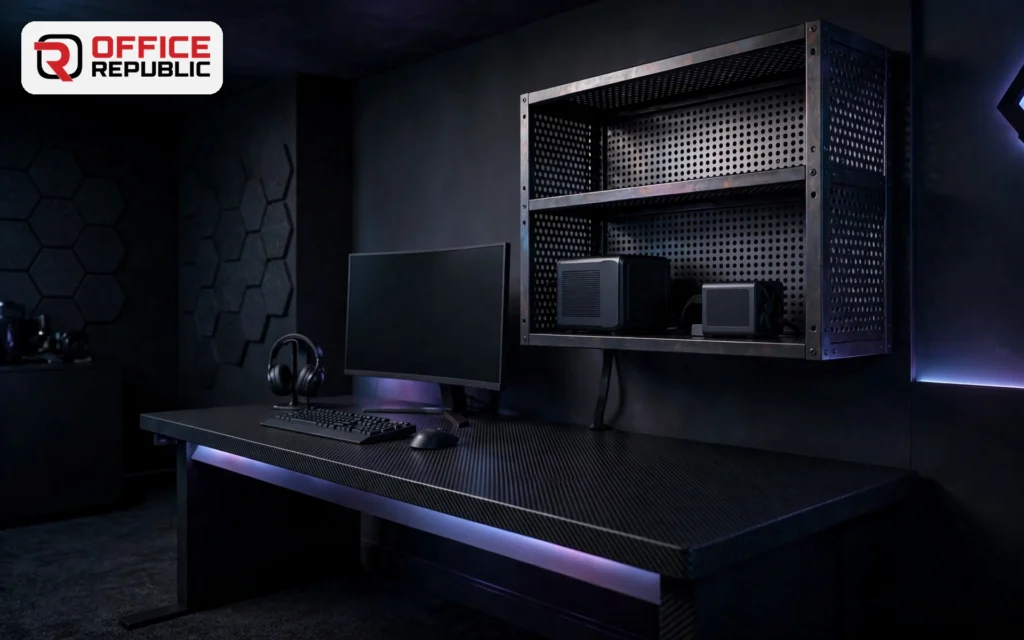
A 160 × 70 cm desk with an open, vented shelf for a gaming mini PC and room beside it for an OcuLink graphics dock. Open sides keep the fans breathing through long sessions.
Wider setups can step up to an L-shaped gaming desk, which gives a separate bay for a dock or console.
- Best For: Esports, streaming and mini gaming PCs
- Materials: Carbon-texture laminate top, steel frame, vented steel shelf
- Dimensions: 160 × 70 × 75 cm
- Price Range: PKR 55,000–78,000
8. CadStation Mini
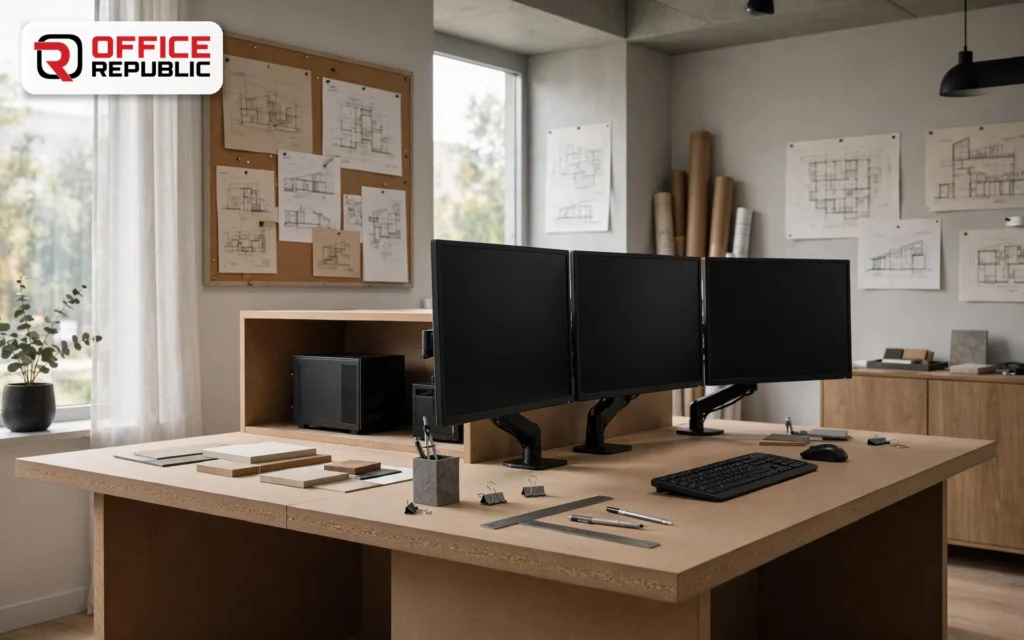
Built for a mini workstation such as the HP Z2 Mini G3 running three displays. The top is reinforced under the monitor arms and a rear bay holds the PC behind the screens.
CAD users should leave 5 cm around the vents and keep the bay open at the back, because long renders heat a mini workstation quickly.
- Best For: Architects, draftsmen and CAD users
- Materials: 30 mm MDF top, steel frame, powder-coated monitor arm plates
- Dimensions: 160 × 75 × 75 cm
- Price Range: PKR 60,000–88,000
9. QuietBay Shelf
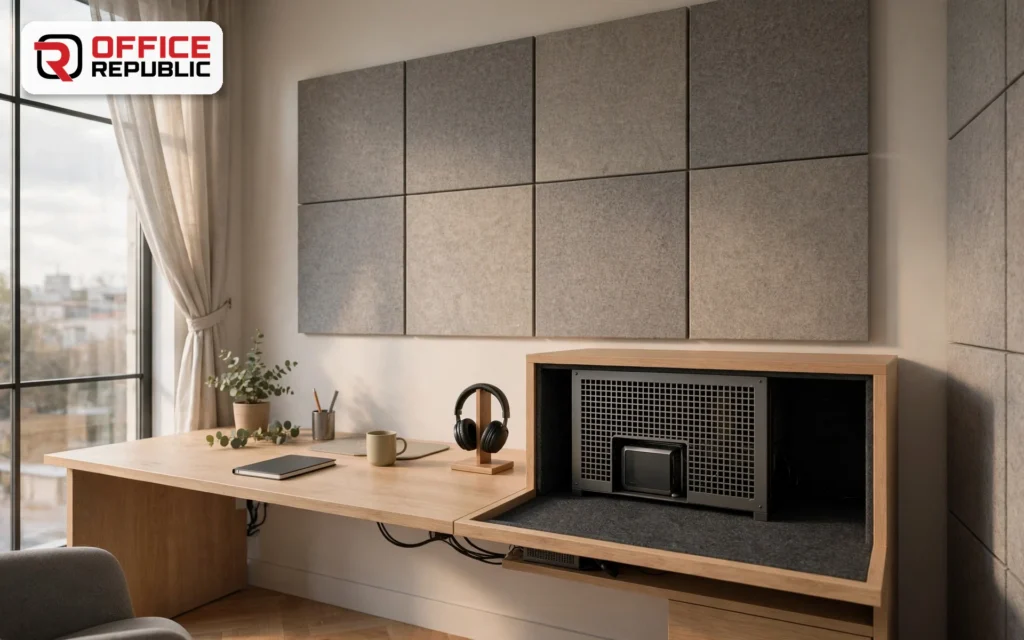
A quiet workstation desk with a felt-lined side bay that softens fan noise without sealing the mini PC in. Air enters low at the front and leaves high at the back.
A closed cabinet is not the answer. A quiet bay works only while its vents stay open.
- Best For: Recording corners and quiet offices
- Materials: MDF with acoustic felt lining, steel vent grilles
- Dimensions: 150 × 70 × 75 cm
- Price Range: PKR 52,000–72,000
10. RackSide Workstation
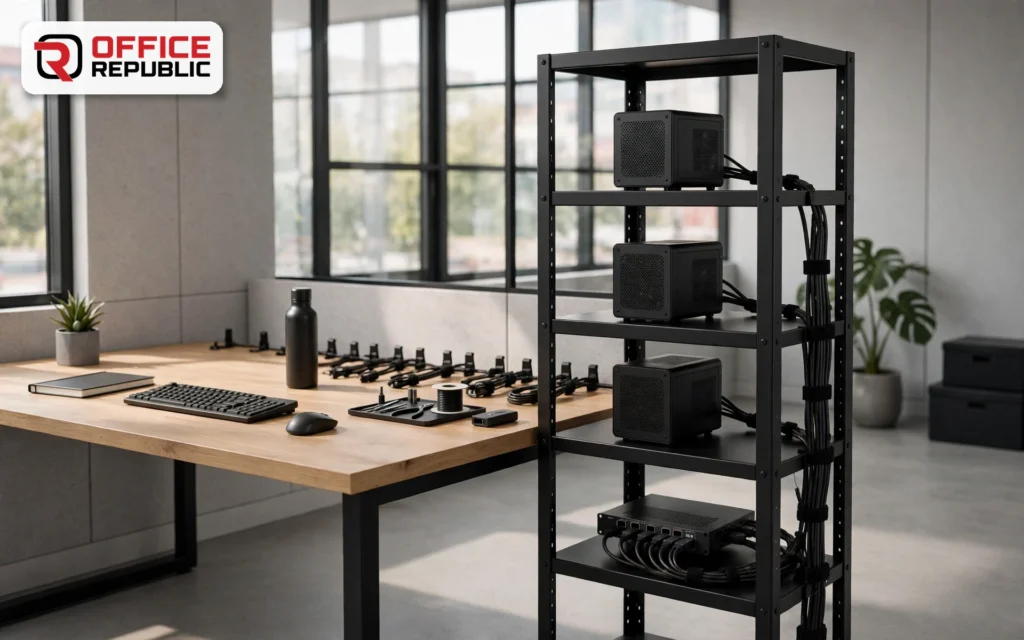
An open steel rack beside the desk stacks two or three mini PCs with a network switch or NAS. It suits small studios that run several machines from one chair.
Anchor the rack to the wall or the desk, and leave a hand width between units for airflow.
- Best For: Developers, labs and small studios
- Materials: Steel rack shelves, melamine MDF desk top
- Dimensions: Desk 150 × 70 × 75 cm, rack 40 × 50 × 120 cm
- Price Range: PKR 62,000–85,000
11. CornerFit L 150
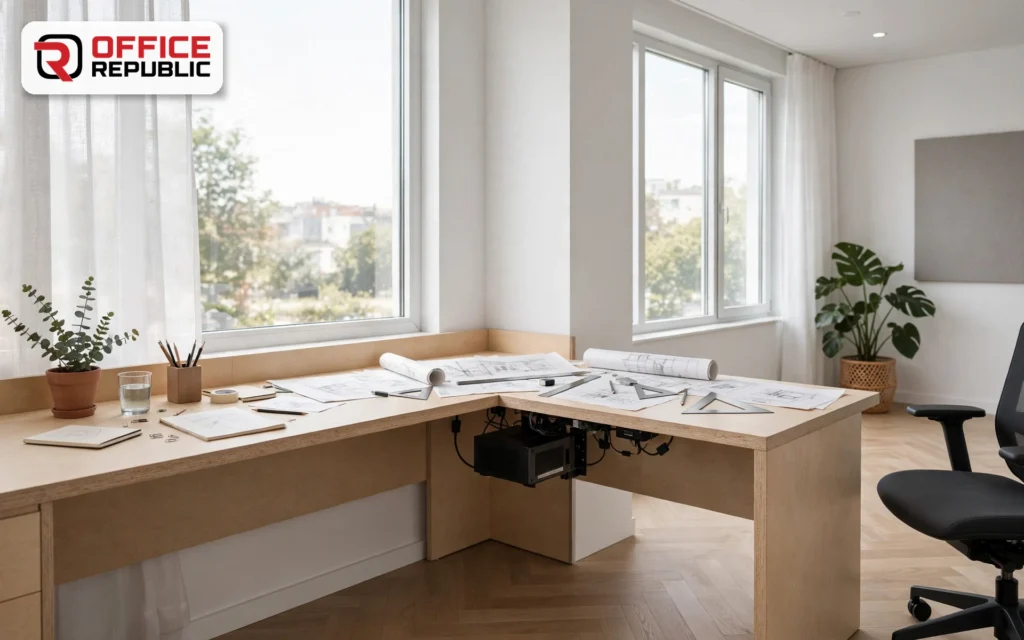
An L-shaped desk, 150 cm on each side, with the mini PC mounted on the short return. The corner adds a second zone for drawings or paperwork.
Measure the room corner first. Walls are rarely square, so allow 1 to 2 cm of trim.
- Best For: Corners and shared work zones
- Materials: Laminated MDF, steel frame, wire grommets
- Dimensions: 150 × 150 × 75 cm, 60 cm depth
- Price Range: PKR 65,000–90,000
12. WallFold 100
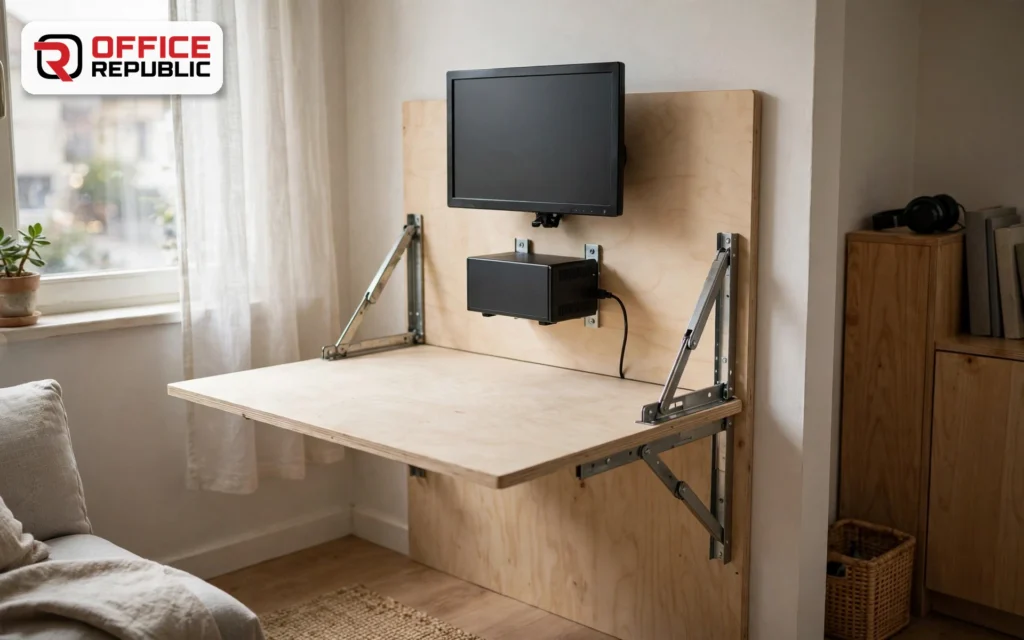
A wall-mounted fold-down desk, 100 × 50 cm, that lifts away when the room is needed for something else. The mini PC and a small monitor mount to a fixed back panel.
Confirm the wall is brick or concrete before ordering. Drywall will not hold a loaded fold-down desk.
- Best For: Studios and rental flats
- Materials: MDF top, steel folding brackets, fixed back panel
- Dimensions: 100 × 50 × 75 cm open
- Price Range: PKR 24,000–34,000
13. ClosetNook 90
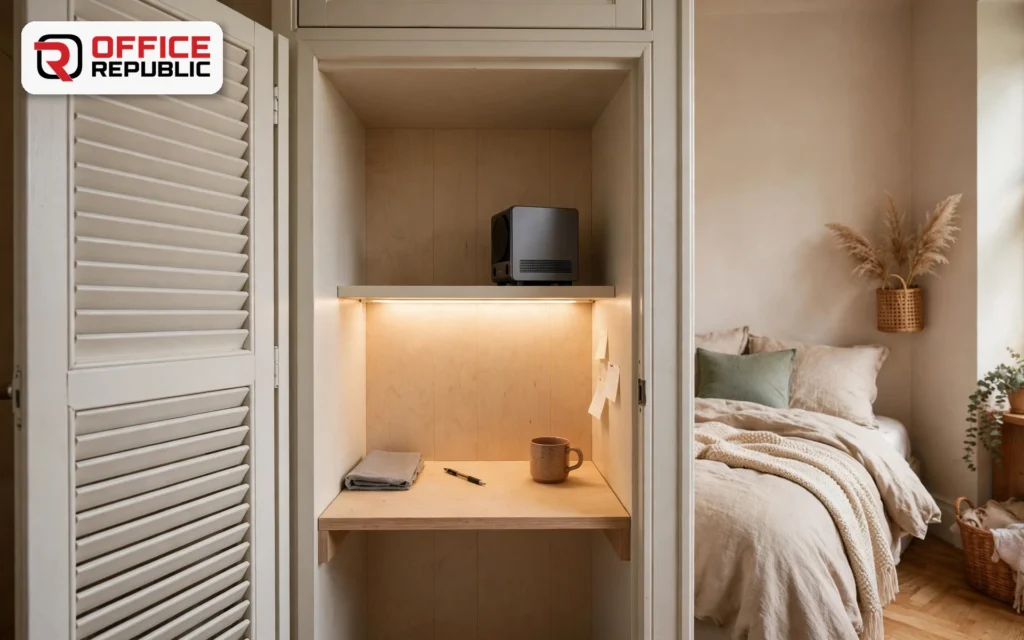
A 90 × 45 cm desk sized to slide into a wardrobe niche, with the mini PC on a small shelf above the work surface.
Take the closet door off or fit a louvred one for airflow, and add a strip light because closets are dark.
- Best For: Small homes and bedrooms
- Materials: Melamine MDF, steel shelf bracket
- Dimensions: 90 × 45 × 75 cm
- Price Range: PKR 22,000–30,000
14. BedroomSlim 100
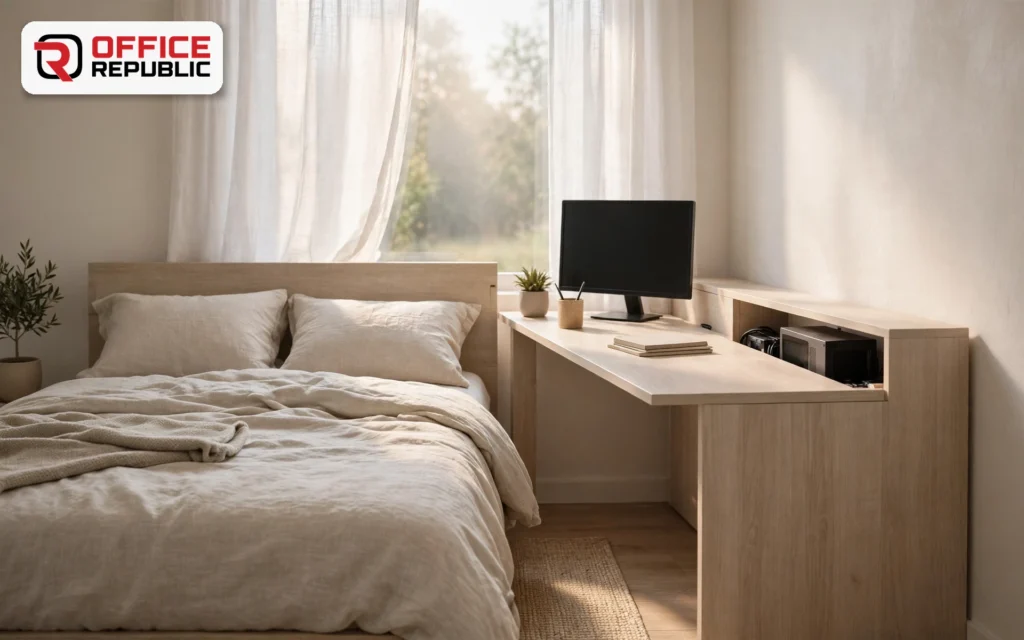
A 100 × 50 cm slim desk with a hidden rear channel for the mini PC cables. It fits beside a bed without crowding the room.
Choose a light matte finish so the desk blends in with bedroom furniture.
- Best For: Students and bedroom offices
- Materials: Laminated MDF, steel legs
- Dimensions: 100 × 50 × 75 cm
- Price Range: PKR 22,000–32,000
15. FrontDesk Mini
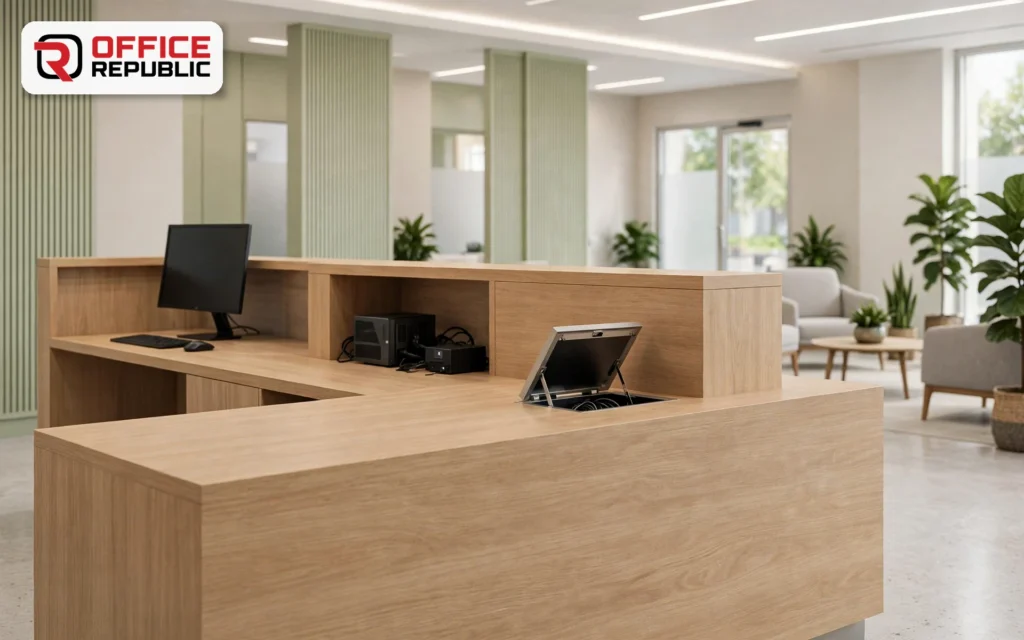
A reception counter with a hidden niche for the mini PC and a flip-up cable port on the visitor side. Staff see the screen while visitors see a clean counter.
Leave a vented back panel in the niche. A closed niche cooks the mini PC by afternoon.
- Best For: Clinics, salons and corporate reception
- Materials: MDF counter with laminate or veneer, steel niche bracket
- Dimensions: 160 × 60 × 105 cm
- Price Range: PKR 95,000–140,000
16. CubiclePod Micro
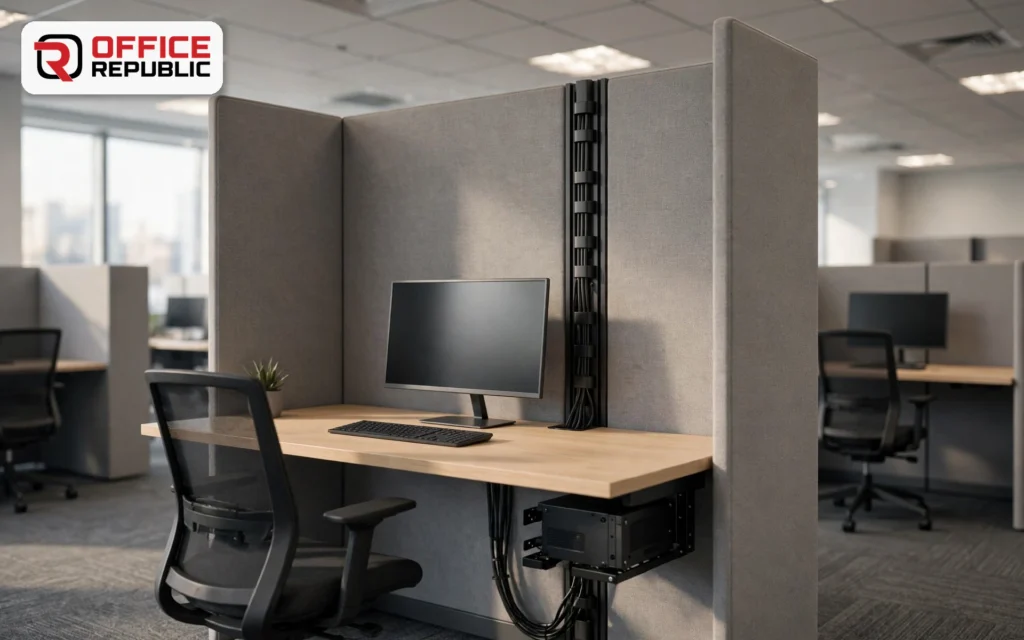
A cubicle work surface with a mini PC bracket under the top and a cable spine through the partition. Each employee gets a clear desktop in a 120 × 60 cm footprint.
Plan power and data points before the partition goes up. Moving them later costs more than the desk.
- Best For: Call centres and open-plan offices
- Materials: Laminated MDF, steel frame, fabric panel
- Dimensions: 120 × 60 cm per seat
- Price Range: PKR 45,000–70,000 per seat
17. CoWork Bench Mini
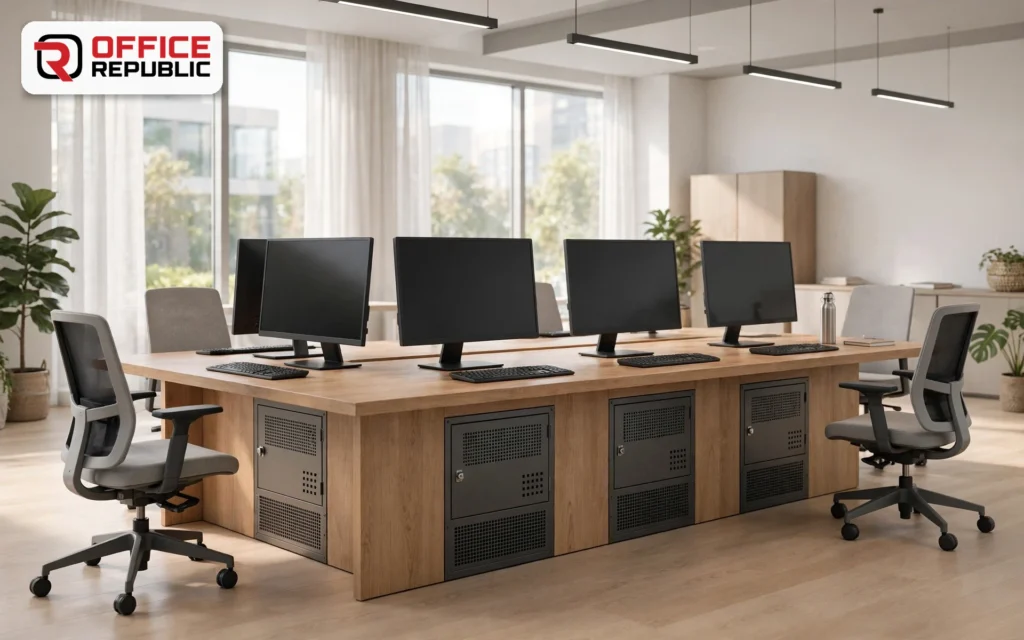
A shared bench seating four, with a lockable, vented mini PC bay at each seat. It suits co-working spaces and training offices where the PCs stay and people rotate.
Order keyed-alike locks so one key opens every bay, with a master key held by the manager.
- Best For: Co-working spaces and training offices
- Materials: Laminated MDF, steel frame, locking vented bays
- Dimensions: 280 × 70 × 75 cm
- Price Range: PKR 150,000–190,000
18. TrainingRoom Pair
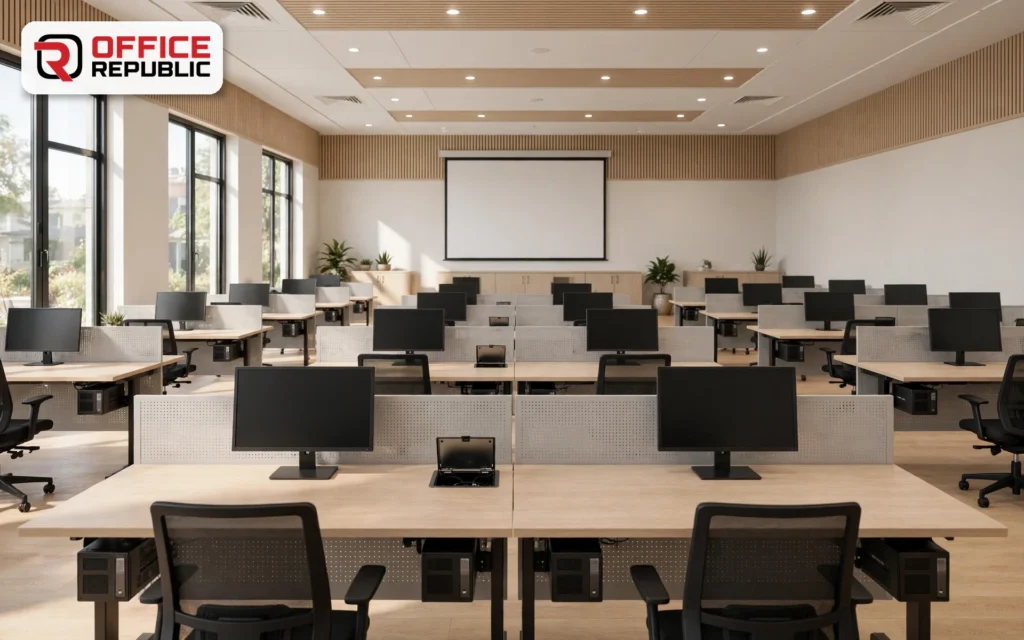
A 160 × 60 cm table for two trainees with a flip-up cable port and a mini PC mounted under each seat position. Rows line up neatly without tower cases.
Add a front modesty panel so knees do not hit the PC bracket.
- Best For: Training rooms and computer labs
- Materials: Laminated MDF, steel frame, flip-up cable ports
- Dimensions: 160 × 60 × 75 cm
- Price Range: PKR 55,000–78,000
19. ExecDrawer 180
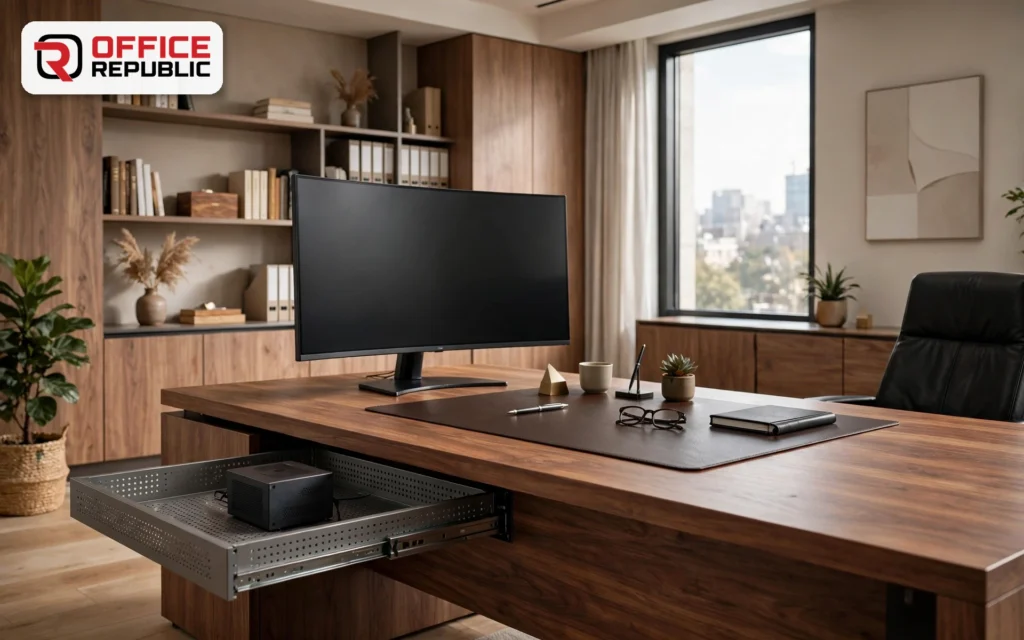
An executive desk with a pull-out vented tray that holds the mini PC and slides shut when a client visits. The wide top leaves room for a large monitor and a leather pad.
Place a felt pad under the monitor stand so a veneer top does not mark.
- Best For: Managers and director offices
- Materials: Veneer top, vented steel drawer tray, MDF carcass
- Dimensions: 180 × 90 × 75 cm
- Price Range: PKR 120,000–180,000
20. DrawerDock Lock
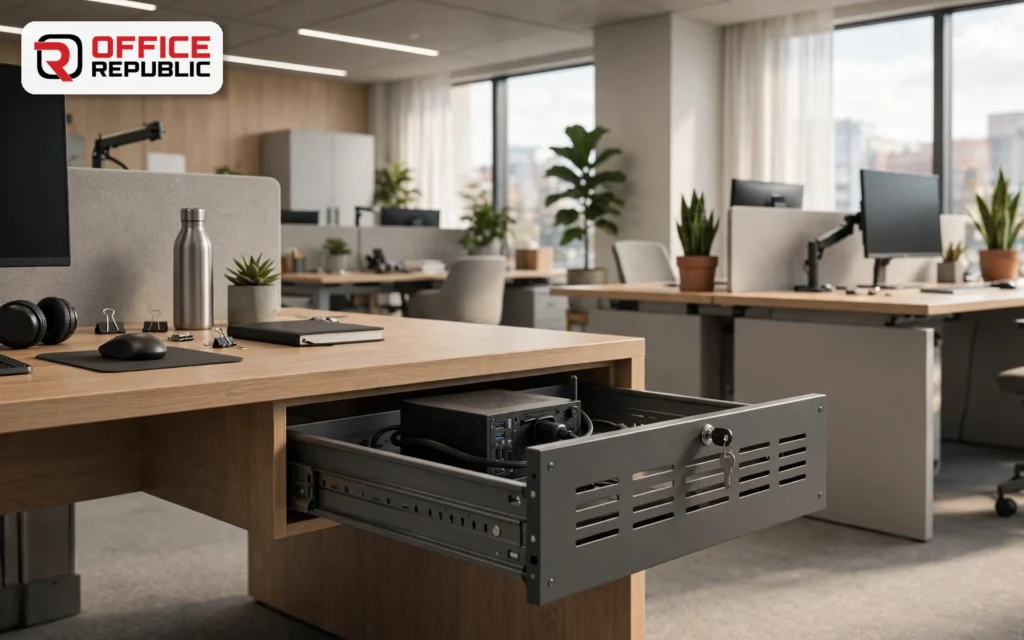
A 140 cm desk with a keyed, vented drawer for the mini PC. It keeps a portable machine and its data safe overnight in shared offices.
Run the mini PC in the drawer for an hour and feel the air at the back vent before you sign off the build.
- Best For: Shared offices and security-minded teams
- Materials: MDF top, steel drawer with vent slots and lock
- Dimensions: 140 × 65 × 75 cm
- Price Range: PKR 52,000–72,000
21. StarterMini 100
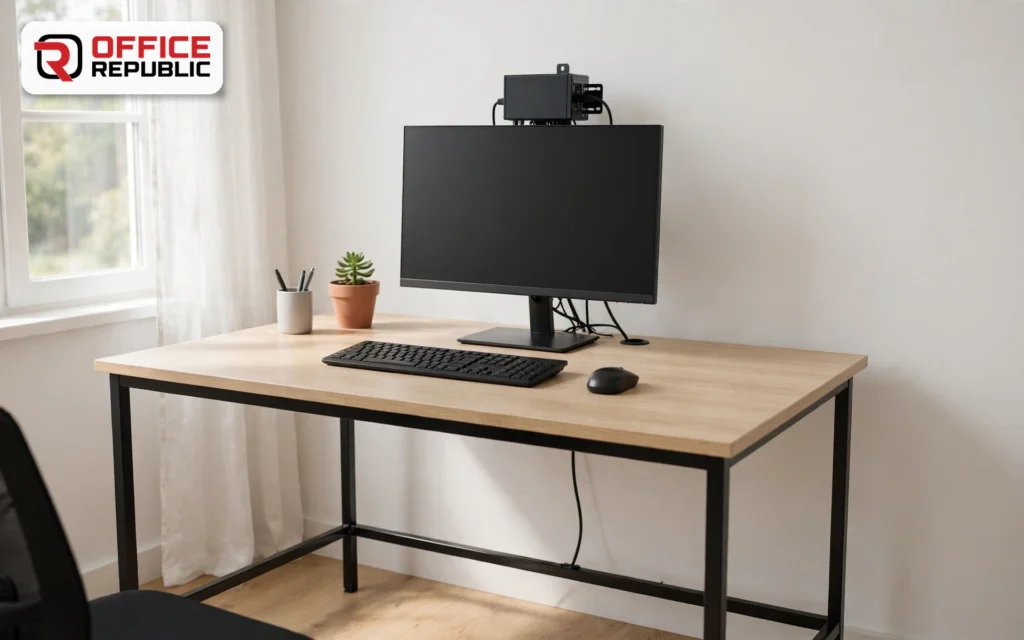
A plain 100 × 55 cm laminated desk with a rear grommet and a single bracket for the mini PC. It is the lowest-cost way to start a mini PC workstation.
Start here, then upgrade the desk when you add a second monitor.
- Best For: First-time buyers and tight budgets
- Materials: 18 mm laminated MDF, steel legs
- Dimensions: 100 × 55 × 75 cm
- Price Range: PKR 20,000–28,000
Comparing Mini PC Workstation Desk Types
| Design Type | Budget (PKR) | Durability | Maintenance | Best For | Material |
|---|---|---|---|---|---|
| Slim single-monitor desk | 20,000–48,000 | Medium | Low | Home offices | Laminated MDF, steel |
| Dual or triple-monitor desk | 48,000–105,000 | High | Low | Traders, designers | MDF, steel frame |
| Electric sit-stand desk | 85,000–120,000 | High | Medium | Ergonomic offices | Laminate, motorised steel |
| Gaming desk with vented shelf | 55,000–78,000 | High | Low | Mini gaming PCs | Laminate, steel |
| CAD or mini workstation desk | 60,000–88,000 | Very High | Low | CAD users | Thick MDF, steel |
| Cubicle workstation | 45,000–70,000 | High | Low | Call centres | Laminated MDF, fabric panel |
| Wall fold-down desk | 24,000–34,000 | Medium | Low | Studios, rentals | MDF, steel brackets |
| Reception or executive counter | 95,000–180,000 | Very High | Medium | Reception, managers | Veneer MDF, steel |
Advantages and Disadvantages
Advantages
- Frees most of the desktop for work.
- Needs less floor space than a tower setup.
- Quiet, low power and easy to move between desks.
- VESA and under-desk mounts hide the PC and the cables.
- Fits cubicles, closets and wall-fixed desks.
Disadvantages
- Vents can be blocked when a mount sits too tight.
- Fewer upgrade options than a tower.
- Integrated graphics limit heavy 3D work.
- Tiny units are easy to lose without a locking bay.
- Imported models bring shipping, duty and warranty questions.
How to Set Up a Mini PC Workstation
1
Measure your monitors and use the calculator. Add 60 cm to the monitor row, round up, and check the room before you order.
2
Choose where the mini PC lives. Pick a VESA bracket, an under-desk cradle or a vented drawer, based on how often you use the front ports.
3
Plan the cables first. Mark where power, display and network leads enter, then fit grommets and a tray. Our guide to home office organization has simple cable habits that suit any room.
4
Leave airflow around the vents. Keep at least 5 cm of open space and never close the PC inside a cabinet.
5
Set the monitor height. The top edge of the screen should sit at eye level. Our ergonomic workstations guide covers posture and screen distance.
6
Test under load. Run the mini PC at full use for 30 minutes and feel the vents. Warm air is normal, hot air means the airflow is blocked.
The 5 cm Airflow Rule
Leave at least 5 cm of open space around every vent of a mini PC, and never seal it inside a closed cabinet. A mini PC in a tight bay slows its CPU to stay cool, so a vented drawer or open shelf always beats a closed box.
Quick Buying Checklist
- Monitor count and size confirmed with the calculator
- Mount type chosen: VESA, under-desk cradle or vented drawer
- Mini PC weight checked against the bracket rating
- 5 cm of open space around every vent
- Cable grommets, tray and power points planned
- Desk top at least 25 mm thick where brackets are screwed
- RAM and SSD budget set before any CPU upgrade
- Used mini PC tested for fan noise, ports and SSD health
- Delivery, assembly and warranty confirmed in writing
Frequently Asked Questions
What is a mini PC workstation?
A mini PC workstation is a very small desktop, often one to two litres, built or configured for demanding work such as CAD, editing or development. Examples include the HP Z2 Mini, the Minisforum MS-01 and MS-A2, and GMKtec Core i9 models. It still needs a mount, airflow and tidy cables.
What is the mini PC workstation price in Pakistan?
Used HP, Dell and Lenovo business mini PCs list from about PKR 18,000 to PKR 45,000, and newer used or open-box units run PKR 45,000 to PKR 90,000. New GMKtec and Minisforum models are imported, so the price depends on the seller. Abroad they start near US$126 and climb past US$550.
Which is the best mini PC workstation for CAD?
Look for a discrete workstation graphics card, such as the optional NVIDIA Quadro in the HP Z2 Mini line. Ryzen and Core i9 minis from GMKtec and Minisforum suit lighter 3D work. Check your CAD software requirements first, and keep the PC in an open, vented bay.
Is a mini PC workstation good for gaming?
Yes for esports and older titles on integrated graphics. Heavier games need a model with a discrete GPU or an OcuLink port for an external graphics card, as on the GMKtec NucBox K12. Give a gaming mini PC an open, vented shelf, because long sessions raise temperatures.
What are the HP Z2 Mini G3 workstation specs?
It has two SO-DIMM slots for up to 32 GB of DDR4, Intel Xeon E3 or Core i5 and i7 processors, optional NVIDIA Quadro M620 graphics with 2 GB, three DisplayPort outputs and four USB 3.0 ports. It weighs about 1.9 to 2.1 kg, so use a steel bracket.
Is a used HP mini PC with an i7 worth buying?
Yes, if it comes with 16 GB of RAM and an SSD. A used HP EliteDesk Mini with a Core i7 handles office work, CAD viewing and light editing for far less than a new machine. Test the fan noise, USB ports and SSD health before you pay, and confirm the power adapter is included.
Can a mini PC have a dedicated graphics card?
A few can. The HP Z2 Mini offers an optional Quadro card, and some imported models add an OcuLink port for an external graphics card. Most mini PCs use integrated graphics only, so check the spec sheet before you buy and leave desk space for any external dock.
How big a desk does a mini PC workstation need?
One 24 or 27 inch monitor fits a 120 × 60 cm desk. Two 27 inch monitors need 180 × 60 cm, and three need 240 cm. The mini PC takes no desktop space when mounted behind the monitor or under the desk, so size the desk for screens, keyboard and mouse.
Where should I mount a mini PC?
Behind the monitor on a VESA bracket keeps the desktop clear. Under the desk on a steel cradle keeps it cool and within reach. A vented drawer adds security. Whatever you choose, leave 5 cm around the vents and avoid sealed cabinets.
Mini PC or tower workstation: which is better?
A mini PC saves space and power and suits office work, CAD viewing and light editing. A tower workstation fits more GPUs and drives and stays quieter under heavy loads, but it needs floor space and a deeper desk. A workstation rack helps if you run several small machines side by side.
Get Your Mini PC Workstation Built By OfficeRepublic.pk
Tell us your monitors, your mini PC and your room, and we will plan the desk around them.
⭐⭐⭐⭐⭐ 4.9 Rating · 70 Google Reviews
Office No. 7-8, Extension Cantt, Lahore, 54791 · creativesolutionspk@gmail.com