

Quick Answer
The best gaming chairs for cross legged sitting have a wide flat seat pan (minimum 55cm), no raised front edge, and flip-up or removable armrests. Top picks include the Secretlab Titan XL, AndaSeat Kaiser 3 XL, Noblechairs Hero XL, and wide-seat floor rockers. The key features are seat width, flat seat pan, and flexible armrests — not brand name.
Why Most Gaming Chairs Fail Cross Legged Sitters
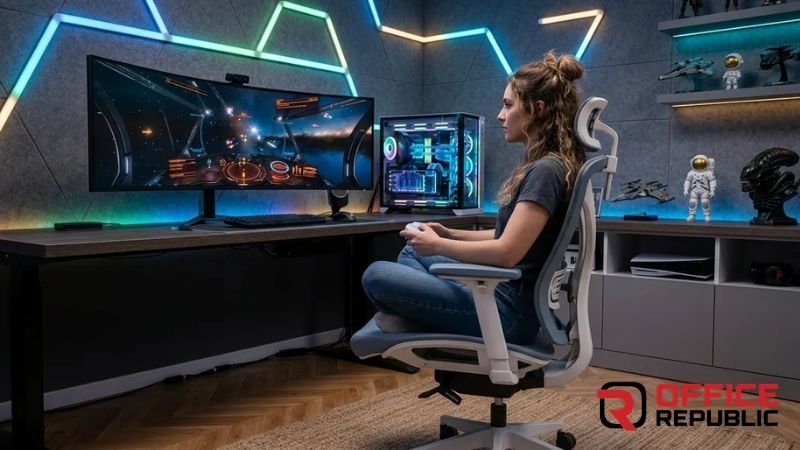
Most gaming chairs are designed for one position only — upright, feet flat on floor, back against lumbar support. That works for some people. But a large portion of gamers, students, and remote workers are most comfortable and most focused sitting cross legged.
Standard gaming chairs fight this completely. The raised front lip cuts into your thighs when you fold your legs up. Armrests block your knees. The seat is too narrow. You end up perching on the edge or constantly shifting — fighting the chair instead of focusing on the game or work.
After fitting out dozens of gaming setups and home offices, cross legged sitting is one of the most common complaints I hear from clients. The body knows what position it wants. The furniture just needs to allow it.
If you sit cross legged regularly, three things matter most: seat width of at least 55cm, a flat or waterfall seat edge, and armrests that flip up or remove completely. Everything else — RGB lighting, reclining angles, brand logos — is secondary.
What Makes a Gaming Chair Good for Cross Legged Sitting?
Wide Seat Pan: Minimum 55cm wide. Most standard gaming chairs are 48–52cm — too narrow for folded legs.
Flat or Waterfall Seat Edge: A raised front lip compresses the back of your thighs when legs are folded. Flat or downward-sloping removes this pressure completely.
Flip-Up or Removable Armrests: Fixed armrests at standard height physically block your knees when sitting cross legged.
No Aggressive Seat Bolstering: Racing-style seat bolsters squeeze the hips and restrict leg movement inward.
Also Worth Reading
Best Ergonomic Office Chairs — Full Buying Guide
20 Best Gaming Chairs for Cross Legged Sitting
1. Secretlab Titan XL
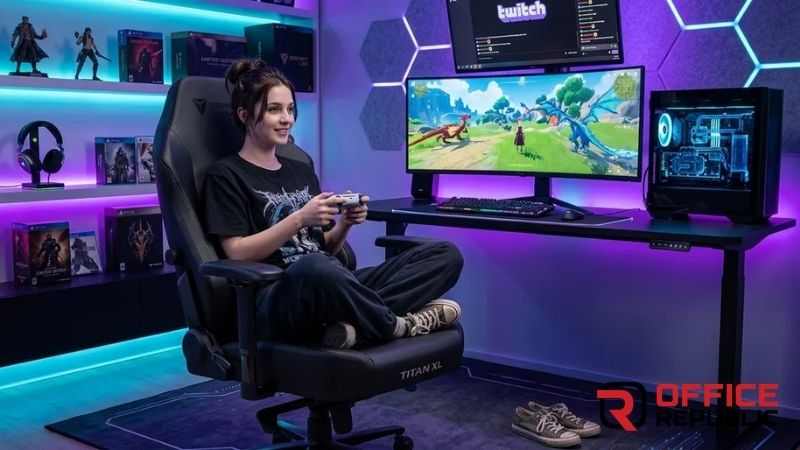
The Secretlab Titan XL is the most recommended premium gaming chair for cross legged sitting. 57cm wide seat, flat seat pan, and 4D armrests with full flip-up capability.
Best For: Tall and larger-built gamers who sit cross legged for long sessions.
Materials: Cold-cure foam, PRIME 2.0 PU leather or SoftWeave fabric
Seat Dimensions: 57cm wide × 52cm deep
Pros: Exceptional build quality, lumbar system does not interfere with cross legged position, long warranty.
Cons: Premium price, takes time to break in, not widely available locally.
2. AndaSeat Kaiser 3 XL
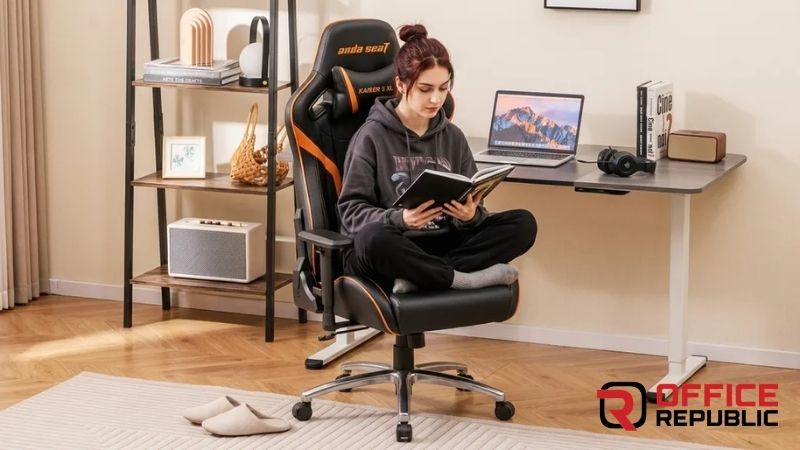
57.5cm seat with minimal front bolstering and full flip-up 4D armrests — one of the most accommodating chairs for cross legged sitting in this price range.
Best For: Gamers wanting a premium wide seat without the Secretlab price.
Materials: Magnetically attached lumbar, high-density foam, 4D armrests
Seat Dimensions: 57.5cm wide × 53cm deep
Pros: Wide flat seat, excellent armrest flexibility, durable PU leather.
Cons: Heavy chair, lumbar pillow can feel bulky.
You Might Also Like
Best Armless Office Chairs — When No Armrests Is the Right Call
3. Noblechairs Hero XL
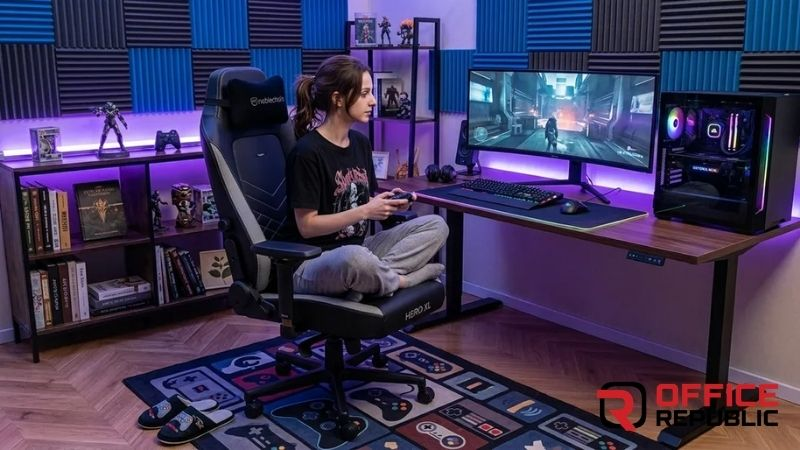
Wide-seat chair with minimal side bolstering and a flat sitting surface. Supports up to 150kg — one of the most robust options for larger users who sit cross legged.
Best For: Larger users, long gaming and work sessions, durability priority.
Materials: Real leather or EPIC PU leather, steel frame
Seat Dimensions: 56cm wide × 51cm deep
Pros: Exceptional material quality, very sturdy, minimal bolstering helps cross legged freedom.
Cons: Expensive, firm initially, real leather needs maintenance.
4. Herman Miller Embody Gaming Chair
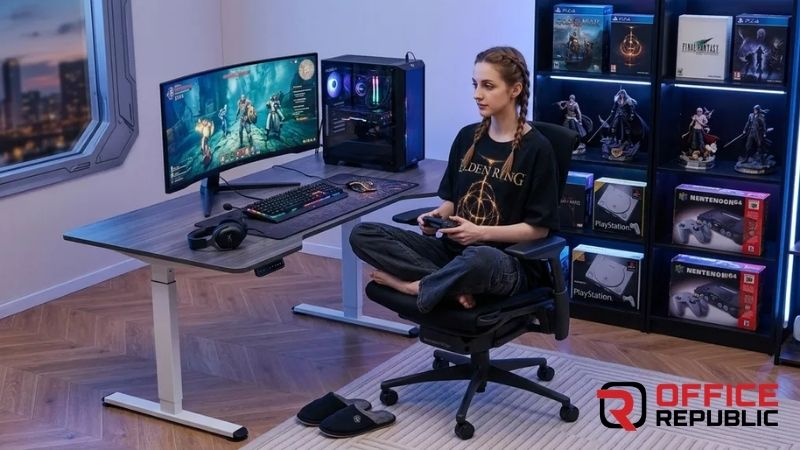
Completely flat seat, no bolstering, adjustable seat depth, and a back that adapts to any position. The best ergonomic option for cross legged sitting — not a traditional gaming chair but far superior for all-day use.
Best For: Professionals, streamers, anyone spending 8+ hours at a desk.
Materials: Pixelated support matrix, recycled textile seat, adjustable spine
Seat Dimensions: 55cm wide × adjustable depth
Pros: Best-in-class ergonomics, seat depth adjustment works perfectly for cross legged, extremely durable.
Cons: Very expensive, no traditional recline.
If Comfort Is the Priority
Best Upholstered Office Chairs — Comfort and Style
5. Corsair TC200 Soft Fabric
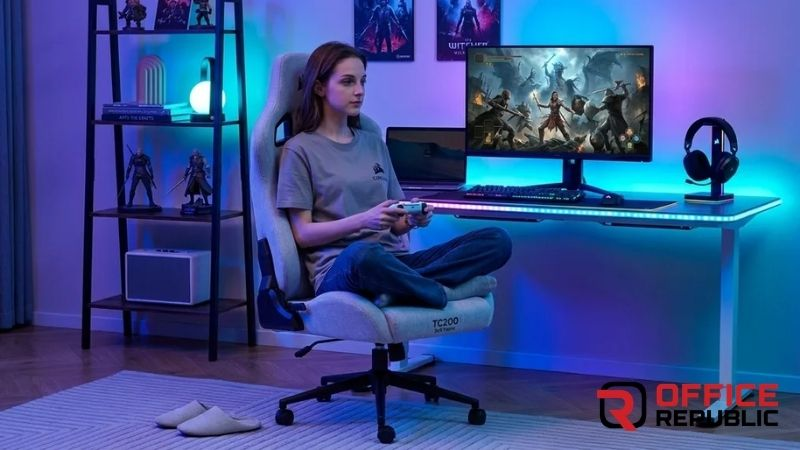
Soft woven fabric upholstery with a wide seat and flip-up armrests. Breathable fabric is a real advantage for cross legged sitting during long sessions in warm climates.
Best For: Gamers in warm climates wanting a breathable fabric option.
Materials: Soft woven fabric, high-density foam, steel frame
Seat Dimensions: 54cm wide × 50cm deep
Pros: Breathable, flip-up armrests, good build for the price.
Cons: Fabric can stain, less premium feel than leather options.
6. Razer Iskur XL
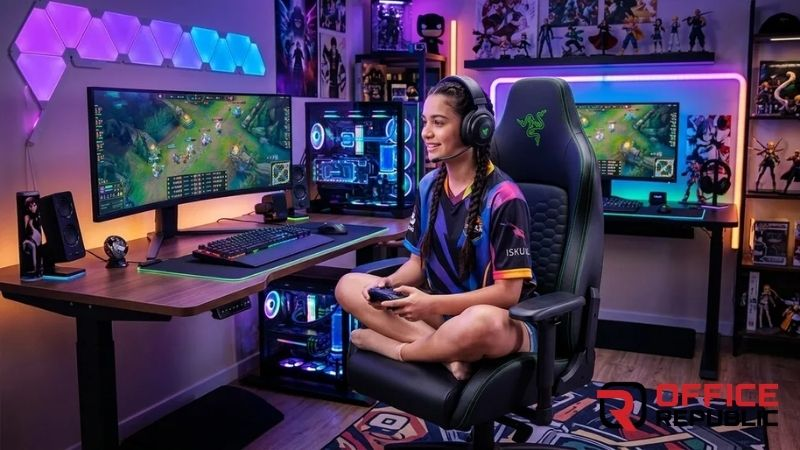
Built-in adjustable lumbar with no pillow needed, wide seat, and multi-direction armrests. Seat pan is flat enough for comfortable cross legged positioning.
Best For: Razer ecosystem users, gamers wanting integrated lumbar without a separate pillow.
Materials: PU leather, multi-layered foam, steel frame
Seat Dimensions: 56cm wide × 50cm deep
Pros: Built-in lumbar does not block cross legged position, wide seat, solid build.
Cons: Lumbar system cannot be fully removed if you prefer a clean back.
Prefer Fabric Over Leather?
Best Fabric Office Chairs — Breathable Options Reviewed
7. DXRacer Master Series XL
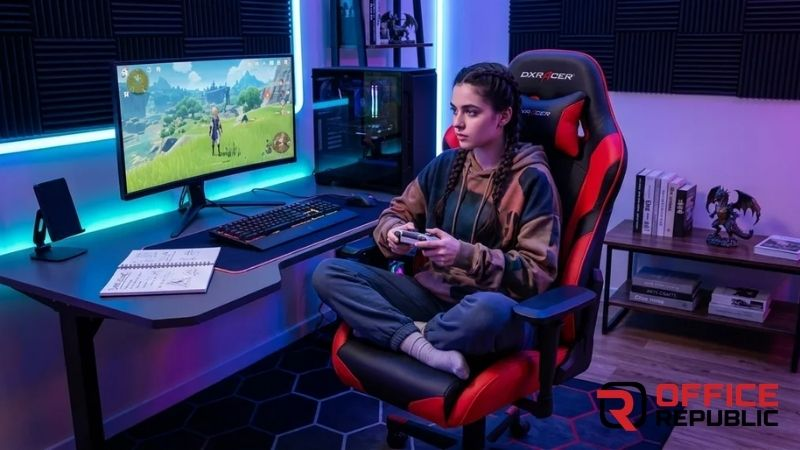
Significantly wider than standard DXRacer models. 4D armrests flip up completely and the front edge is less aggressive than earlier DXRacer designs.
Best For: DXRacer loyalists, mid-budget shoppers.
Materials: PU leather, high-density foam, aluminium base
Seat Dimensions: 55cm wide × 51cm deep
Pros: Wide seat, full flip-up armrests, durable aluminium base.
Cons: Must specifically buy Master XL — standard DXRacer models are too narrow.
8. Autonomous ErgoChair Pro
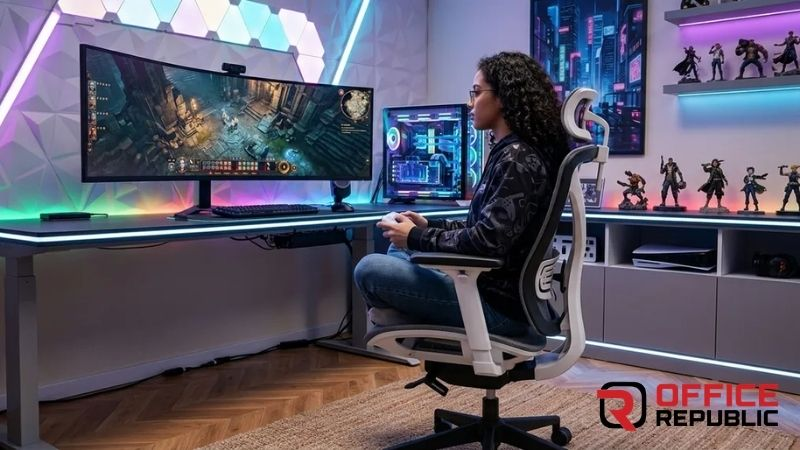
Wide flat seat, adjustable seat depth, and highly flexible armrests. Excellent for cross legged work or study sessions without the gaming chair aesthetic.
Best For: Work-from-home gamers, students prioritising ergonomics.
Materials: Woven mesh back, fabric seat, adjustable lumbar
Seat Dimensions: 52cm wide × adjustable depth
Pros: Highly adjustable, breathable mesh, excellent seat depth adjustment.
Cons: Seat width is marginal for wider cross legged positions.
Concerned About Back Support?
Best Lumbar Support Office Chairs — Reviewed
9. RESPAWN 400 Big and Tall Gaming Chair
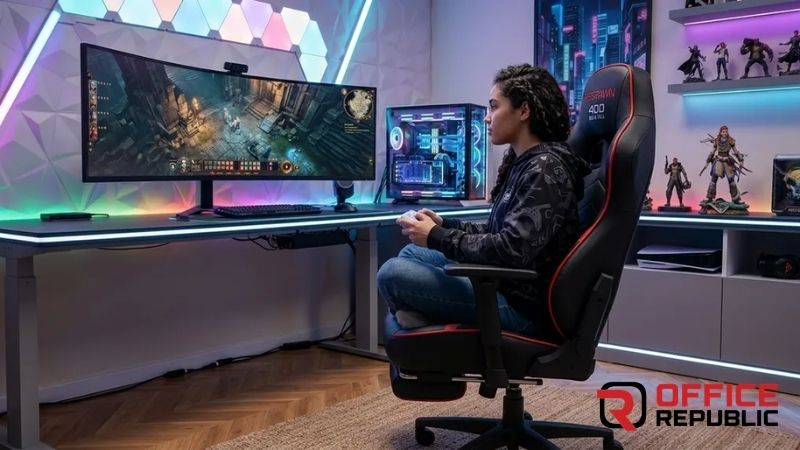
One of the widest seats in its price range at 58cm. Flat seat edge and 155-degree recline make it versatile for switching between cross legged and reclined positions.
Best For: Larger and taller users wanting a budget-friendly wide seat.
Materials: PU leather, foam padding, reinforced frame supporting up to 180kg
Seat Dimensions: 58cm wide × 52cm deep
Pros: One of the widest seats at this price, very high weight capacity, flat seat edge.
Cons: Bulky and heavy, armrests less flexible than premium options.
10. AKRacing Masters Series Pro
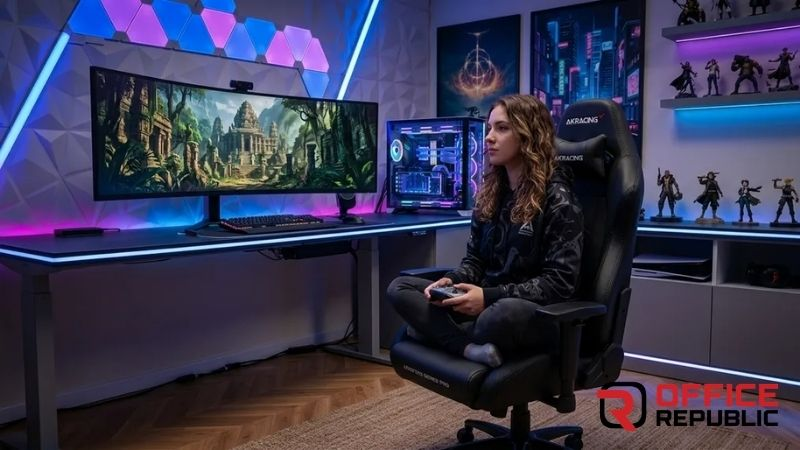
Cold-cure memory foam seat, wider dimensions than standard AKRacing models, and 4D armrests that lift high enough to clear folded legs completely.
Best For: Gamers wanting memory foam comfort with cross legged flexibility.
Materials: Memory foam, PU leather, steel frame
Seat Dimensions: 55cm wide × 50cm deep
Pros: Memory foam comfortable for cross legged sitting, premium build, good armrest range.
Cons: Memory foam retains heat, more expensive than standard options.
Want Full Back Support Too?
Best High Back Office Chairs — Full Review
11. Homall Gaming Chair Wide Series
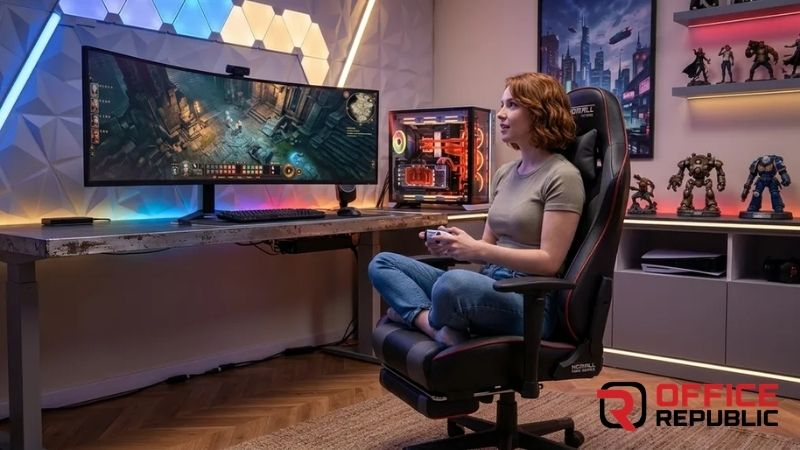
A budget-accessible option with a broader seat than standard Homall models. A practical entry point for anyone wanting cross legged compatibility without significant investment.
Best For: Budget shoppers, students, first-time gaming chair buyers.
Materials: PU leather, foam padding, standard steel base
Seat Dimensions: 53cm wide × 50cm deep
Pros: Budget-friendly, wider than standard gaming chairs, adjustable armrests.
Cons: PU leather quality is lower, foam compresses faster.
Expert Tip
If you already own a gaming chair and want better cross legged comfort without replacing it — flip or remove the armrests and place a firm flat cushion on top of the existing seat to neutralise the front lip. This costs very little and meaningfully extends the comfort window in any chair.
12. GT Racing GT099
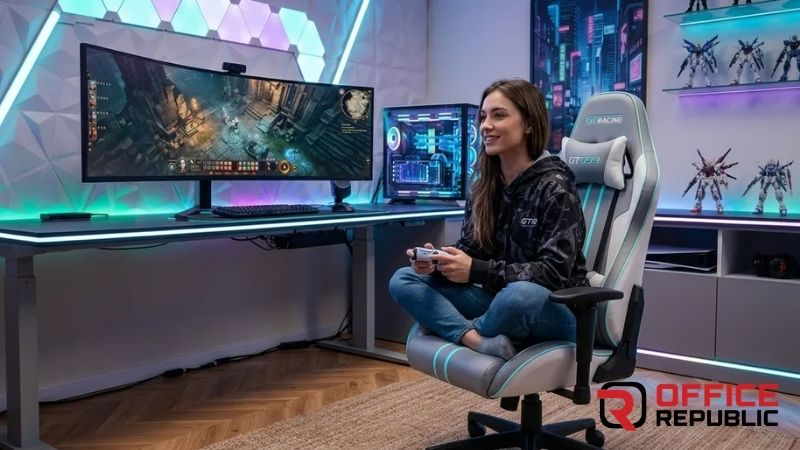
A budget-category wide-seat chair with a relatively flat seat pan. Armrests raise higher than many budget chairs, which helps with cross legged clearance.
Best For: Very tight budgets, casual gamers, short session use.
Materials: PU leather, foam, standard steel frame
Seat Dimensions: 52cm wide × 49cm deep
Pros: Low price, reasonable seat width, armrests raise well.
Cons: Build quality reflects the price, shorter lifespan.
Budget Chair? Add This
Best Cushions for Office Chairs — Comfort Add-Ons That Work
13. AndaSeat Phantom 3
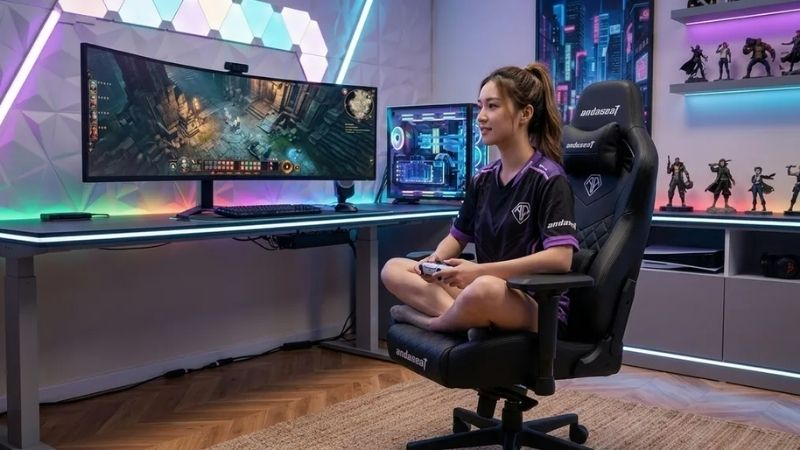
Slightly more affordable than the Kaiser 3 but still maintains a wide seat and full 4D armrest adjustment. The seat edge profile is moderate — workable for cross legged sitting.
Best For: Mid-budget shoppers wanting AndaSeat quality below Kaiser pricing.
Materials: AD Premium PU leather, cold-cure foam
Seat Dimensions: 55cm wide × 51cm deep
Pros: Wide seat, good 4D armrests, solid build quality.
Cons: Front edge slightly more pronounced than Kaiser 3.
14. Flexispot OC14 Ergonomic Gaming Chair
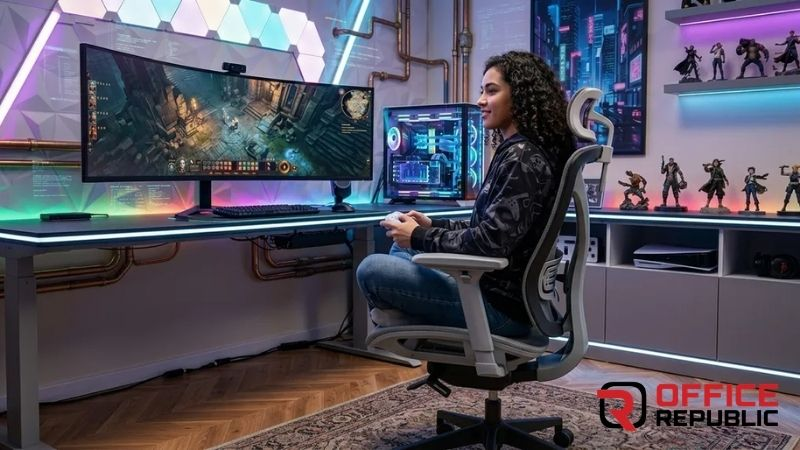
Adjustable seat depth, flat surface, and armrests that raise significantly. Excellent for people who work and game from the same chair.
Best For: Work-from-home gamers, professionals who also game.
Materials: Mesh back, foam seat, 4D armrests
Seat Dimensions: 54cm wide × adjustable depth
Pros: Seat depth adjustment is excellent for cross legged positioning, breathable back.
Cons: Lower recline range than traditional gaming chairs.
Sitting Causing Hip Discomfort?
Best Office Chair for Buttock Pain — What Actually Helps
15. Vertagear SL5800
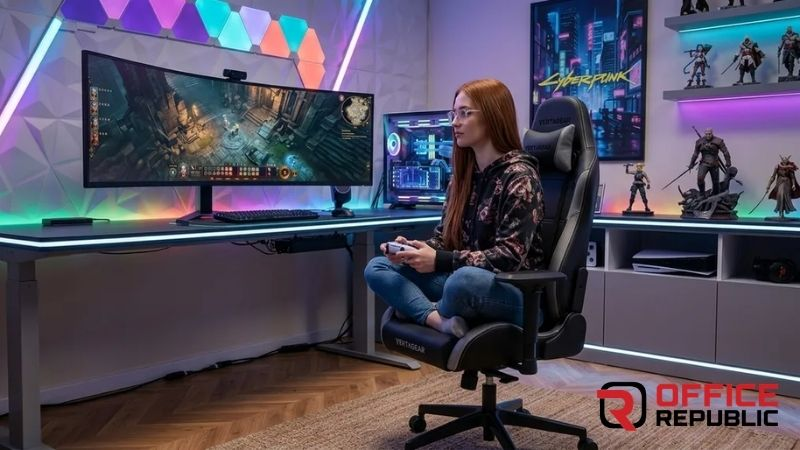
Wide premium gaming chair with a flat seat, minimal seat bolstering, and 4D armrests. One of the better premium options for cross legged sitting in the traditional gaming chair category.
Best For: Gamers wanting premium build with less aggressive bolstering.
Materials: PU leather, cold-cure foam, aluminium base
Seat Dimensions: 56cm wide × 51cm deep
Pros: Wide flat seat, minimal side bolstering, good armrest flexibility.
Cons: Expensive, available in limited markets.
16. Cougar Armor Titan Pro
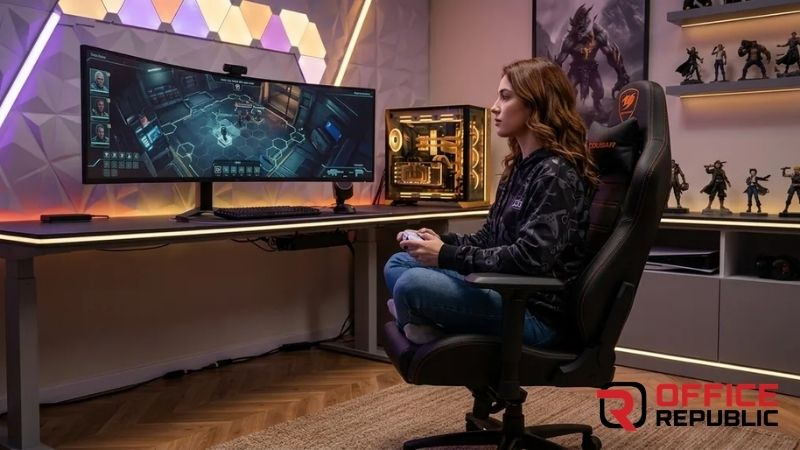
Wider seat than the standard Armor series and 4D armrests. Less aggressively bolstered than most racing-style chairs, which helps with cross legged freedom.
Best For: Cougar brand loyalists, mid-premium budget.
Materials: Royal PU leather, high-density foam, steel frame
Seat Dimensions: 55cm wide × 50cm deep
Pros: Good seat width, 4D armrests, quality PU leather.
Cons: Still has some front lip — better than standard but not the flattest in this list.
Managing Back Pain Too?
Orthopedic Chairs for Back Pain — Expert Recommendations
17. Jinux Floor Rocking Gaming Chair
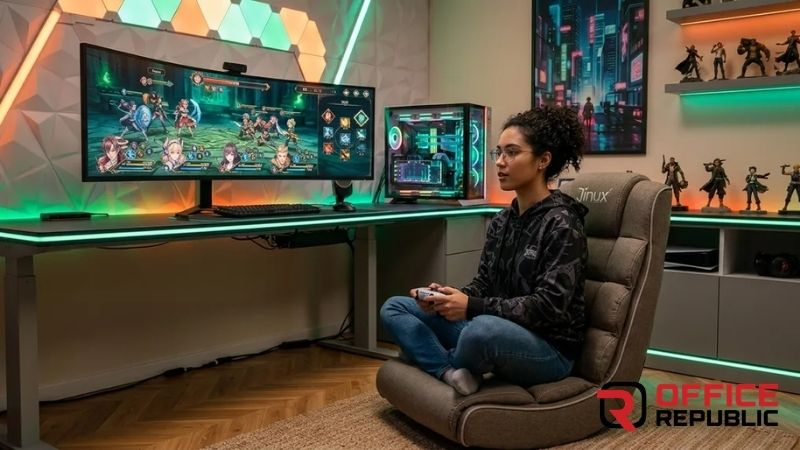
A floor-level gaming chair that eliminates the height and armrest problem entirely. Sit in any position — cross legged, reclined, upright — without any structure constraining your legs.
Best For: Console gamers, compact spaces, casual sessions.
Materials: Foam padding, fabric cover, rocking base
Seat Dimensions: 60cm wide × 55cm deep
Pros: No seat height to fight, wide open seating area, excellent for cross legged, very affordable.
Cons: No height adjustment, not suitable for desk use.
18. X Rocker Pro Series Floor Rocker
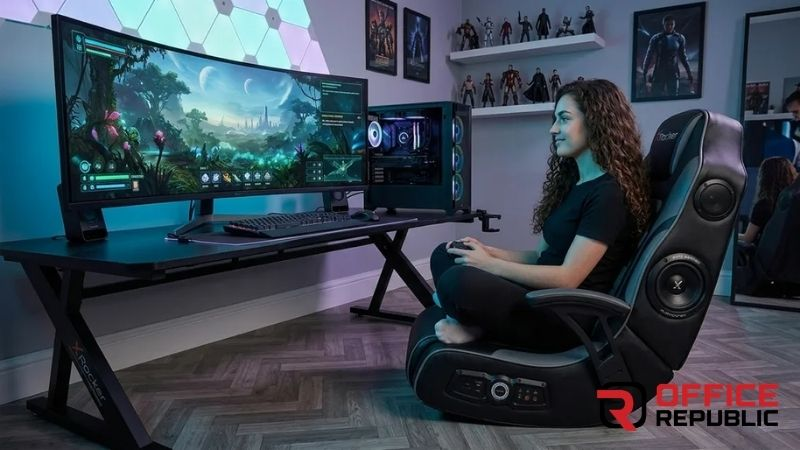
Floor-level gaming rocker with built-in speakers and a wide padded seat. Cross legged sitting is completely unrestricted — no seat rim, no raised edge, no armrests in the way.
Best For: Console gamers, TV-facing setups, people who want total cross legged freedom.
Materials: Padded fabric, integrated audio system, rocking base
Seat Dimensions: 65cm wide × 60cm deep
Pros: Widest seating surface in this list, zero armrest conflict, built-in audio.
Cons: Floor only — not compatible with desk setups.
Like Reclining Between Sessions?
Best Reclining Office Chairs — Reviewed
19. Wide-Seat Ergonomic Office Chair with Flip Armrests
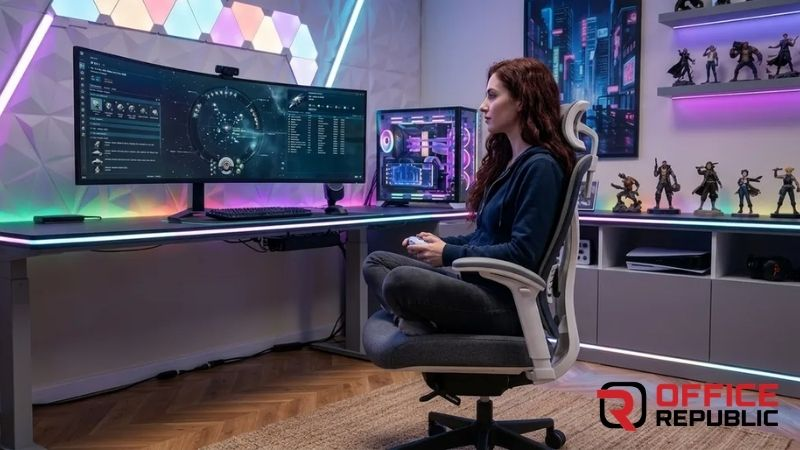
A wide-seat ergonomic office chair — 55–60cm seat with flip-up armrests — does everything a gaming chair does for cross legged sitting, often better and cheaper. Available from local furniture manufacturers and online.
Best For: Work-from-home users prioritising function over gaming aesthetics.
Materials: Mesh or fabric seat, adjustable lumbar, flip armrests
Seat Dimensions: 55–60cm wide × adjustable depth
Pros: Often cheaper than branded gaming chairs for equivalent width, ergonomically superior, professional look.
Cons: No gaming chair aesthetic, less brand recognition.
20. Custom Wide-Seat Gaming Chair — Local Build
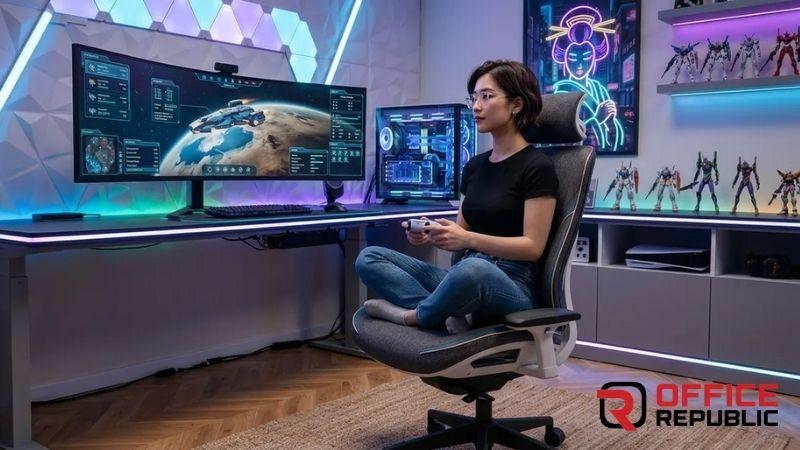
A custom-built wide gaming chair from a local furniture manufacturer using imported mechanism hardware, locally sourced foam and fabric. Seat width, foam density, armrest type, and fabric are all specifiable to your exact requirement.
Best For: Anyone who cannot find the right imported chair locally or wants a specific build.
Materials: Specifiable — mesh, fabric, or PU leather; imported tilt mechanism; high-density foam
Seat Dimensions: Fully custom — 55cm to 70cm+ width possible
Pros: Exact specification to requirement, can match any aesthetic, cost-effective vs imported premium.
Cons: No brand warranty, quality depends entirely on the manufacturer you choose.
Cross Legged for Pain Relief?
Office Chair for Piriformis Syndrome — What to Look For
| Chair | Seat Width | Armrest Type | Seat Edge | Best For | Price Range |
|---|---|---|---|---|---|
| Secretlab Titan XL | 57cm | 4D Flip-Up | Flat | Premium long sessions | $499–$599 |
| AndaSeat Kaiser 3 XL | 57.5cm | 4D Flip-Up | Flat | Best wide seat value | $399–$499 |
| Herman Miller Embody | 55cm | Height Adj. | Completely Flat | Best ergonomics | $1,400–$1,600 |
| RESPAWN 400 | 58cm | 3D Adjustable | Flat | Larger users, budget | $250–$350 |
| Corsair TC200 | 54cm | Flip-Up | Moderate | Warm climates, fabric | $299–$399 |
| X Rocker Pro Floor | 65cm | None | Open / No Edge | Console gaming | $150–$250 |
| Custom Local Build | 55–70cm+ | Specifiable | Specifiable | Any requirement | PKR 35,000–80,000 |
✓ Advantages
- Allows natural sitting position — reduces tension and fidgeting
- Wide seat supports better weight distribution
- Flip-up armrests eliminate the most common cross legged obstruction
- Reduces hip pressure for people with piriformis syndrome
- More comfortable for long sessions than forcing a standard position
- Floor rockers allow completely unrestricted leg positioning
✗ Disadvantages
- Wide seat chairs cost more — XL versions are priced higher
- Cross legged sitting reduces blood circulation in legs over time
- Not all ergonomic features work correctly in cross legged position
- Lumbar support designed for upright posture may not suit cross legged
- Premium cross legged-suitable chairs not widely stocked locally
Before You Buy — Read This First
How to Choose the Best Office Chair for Back Pain
Case Study — Esports Team Setup, Lahore
Client Situation: A five-player esports team in Lahore wanted to upgrade from standard racing chairs. Three of the five players naturally sat cross legged during gameplay. Existing chairs caused leg numbness and constant repositioning.
Challenge: Budget was PKR 250,000 for five chairs. All chairs needed to work for both standard and cross legged sitting, with professional appearance and 8–10 hour daily use capacity.
Solution: Three AndaSeat Kaiser 3 XL chairs for the cross legged sitters. Two Corsair TC200 chairs for the standard-position players. All five had flip-up armrests, wide seats, and flat seat edges.
Result: Within the first week, the three cross legged players reported significantly reduced leg numbness and stopped repositioning mid-game. Average session length increased because fatigue from fighting the chair was eliminated.
Lesson: Matching the chair to the actual sitting habit is a direct performance upgrade — not just a comfort preference.
For Recovery After Long Sessions
Best Massage Office Chairs — Reviewed
Buying Guide — How to Choose a Cross Legged Gaming Chair
Seven Things to Check Before Buying
- 1 Seat width — minimum 55cm Below 55cm and the legs hang off the edge when folded. Always confirm the actual measurement, not just the XL label.
- 2 Armrest type — flip-up or removable Fixed armrests will block your knees. Any chair you buy must have flip-up, height-adjustable, or removable armrests.
- 3 Seat edge profile Ask specifically about the front edge design or look at side-on product photos. Flat is ideal, slight downward slope is acceptable.
- 4 Seat bolstering Minimal or no seat bolstering is what you need. Back bolstering does not matter for cross legged — seat bolstering does.
- 5 Material for your climate PU leather traps heat under folded legs. Fabric or mesh breathes better for warm climates or long sessions.
- 6 Seat height range Cross legged sitting raises your effective seated height. The chair must go low enough that your desk stays at the right level — aim for a minimum height of 40cm or lower.
- 7 Try before buying Sit cross legged in the showroom. Flip the armrests. Check the front edge against your thighs. No spec sheet replaces five minutes of sitting in the chair the way you will actually use it.
Alternating Between Positions?
Best Footrest for Office Chair — Help Between Cross Legged and Standard
How to Set Up Any Chair for Cross Legged Sitting
Step 1: Flip or Remove the Armrests
Get the armrests out of the way before anything else. Flip them up or remove them completely. This single action makes most gaming chairs immediately more usable for cross legged sitting.
Step 2: Lower the Seat Height
Cross legged sitting raises you 10–15cm higher than normal. Lower the chair so your desk stays at the correct level — elbows roughly level with the desk surface even when cross legged.
Step 3: Add a Flat Cushion if Needed
If the seat has a raised front edge that digs into your thighs, place a firm flat cushion on top to raise your position above the front lip and distribute pressure more evenly across your folded legs.
Step 4: Adjust or Remove the Lumbar Pillow
Standard lumbar pillows are positioned for upright sitting. In cross legged position, your centre of gravity shifts. Adjust the pillow lower than normal or remove it entirely — some people prefer no lumbar support at all when cross legged.
Step 5: Set a Position Rotation Timer
Even in the best chair, holding any single position for hours strains the body. Set a 30–45 minute reminder to switch between cross legged and standard sitting. Regular position changes matter more than any single chair feature.
Protect Your Floor Too
5 Best Floor Mats for Office Chairs
Frequently Asked Questions
What is the best gaming chair for sitting cross legged?
The best options are the Secretlab Titan XL (57cm seat, 4D flip armrests), AndaSeat Kaiser 3 XL (57.5cm seat, minimal bolstering), and the RESPAWN 400 (58cm seat, flat edge). For floor-level gaming, the X Rocker Pro is the most unrestricted option. Seat width above 55cm and flip-up armrests are the non-negotiable specs.
Can you sit cross legged in a regular gaming chair?
Most standard gaming chairs are too narrow (48–52cm) and have too raised a front edge for comfortable cross legged sitting. You can do it but you will feel your legs hanging off the edge and the front lip cutting into your thighs. XL versions significantly improve this. A flat cushion on top of a standard chair also helps.
What seat width do I need for cross legged gaming?
Minimum 55cm wide for most adults sitting cross legged. If you are a larger build or want more freedom of movement, 57–60cm is better. Measure your hip-to-hip width while seated cross legged, then add 10cm minimum. That is your target seat width.
Are floor gaming chairs better for cross legged sitting?
Yes, for console gaming or setups where you do not need a desk. Floor rockers like the X Rocker Pro have no front edge, no armrests to block legs, and a wide padded surface. The only limitation is that floor chairs cannot be used at a standard desk height.
Do gaming chair armrests need to flip up for cross legged sitting?
Yes, or be removable. Fixed armrests at standard height will physically block your knees when you fold your legs inward. Flip-up armrests solve this instantly. Full 4D armrests that raise significantly high are the best option.
Is cross legged sitting bad for posture in a gaming chair?
Cross legged sitting is not inherently bad — it is a natural position many bodies prefer. The problem is holding any single position for long periods. Rotating between cross legged and standard sitting every 30–45 minutes in a properly sized chair is perfectly healthy.
What is the best white gaming chair for cross legged sitting?
The Secretlab Titan XL in white (Frost colourway), AndaSeat Kaiser 3 XL in white, and Noblechairs Hero XL in white are the top white options with cross legged-compatible seats and flip armrests. White PU leather shows dirt faster — fabric white versions are easier to maintain.
Can a gaming chair with flip armrests also be used comfortably by pets?
Yes. Flip-up armrests remove the barrier so a cat or small dog can sit on your lap without being blocked. This is why the feature is sometimes marketed for both cross legged sitting and lap pets — same practical benefit, same solution.
How do I stop my legs going numb sitting cross legged in a gaming chair?
Three things help: ensure the seat front edge is flat not raised, rotate positions every 30–45 minutes, and lower the chair height so folded legs are not compressed against the desk underside. A flat cushion also helps distribute pressure more evenly.
Are there ergonomic chairs specifically designed for cross legged sitting?
No gaming chair brand currently markets a chair specifically for cross legged sitting. However, the Herman Miller Embody, Autonomous ErgoChair Pro, and Flexispot OC14 accommodate cross legged sitting far better than standard gaming chairs due to flat seats, seat depth adjustment, and highly adjustable armrests.
Try Something Different
Types of Exercise Ball for Office Chair — Active Sitting Explained
Setting Up Your Gaming Space?
Home Office Ideas — Practical Setups for Every Budget
Building a Gaming Den?
Man Cave Office Ideas — Personal Workspace Inspiration
Limited Space?
Walk-In Closet Office Ideas — Smart Small Space Gaming Setups
No Dedicated Room?
Closet Desk Ideas — Convert Any Closet Into a Gaming or Work Setup
⭐⭐⭐⭐⭐ 4.9 Rating · 64 Google Reviews
Need Help Choosing the Right Chair?
Talk to our team. We help you find or build the right gaming or office chair for how you actually sit — not how manufacturers assume you sit. Free consultation, showroom visits welcome.
📍 Office No. 7-8, Extension Cantt, Lahore 54791
📞 0321 9643535
✉ creativesolutionspk@gmail.com
🌐 officerepublic.pk